Listeo Update 2.2.1 Report
 purethemes
5 min read
purethemes
5 min read
A listing page has a lot to do. Visitors use it to compare prices, read reviews, check availability and decide whether to book. We’ve made quite a few changes to that part of Listeo.
There’s also a new way to browse listing owners, more work on booking calendars, and a collection of smaller fixes that deserve a mention. Here’s what we’ve implemented for the latest release.
- Listing pages: pricing cards with tabs, new feature and review cards, a sticky section menu and a lighter availability calendar.
- Owners Directory: browse the people and companies behind the listings.
- Booking Plus 1.0.21: resource calendar imports, blocked dates, capacity and new popup animations.
- Maps and profiles: self-hosted Nominatim and OpenStreetMap tiles, more control over owner contact details.
- Fixes: duplicate media, category counts, font loading, login limits and upload validation.
A fresh look for listing pages
The listing page refresh is probably the first thing you’ll notice.
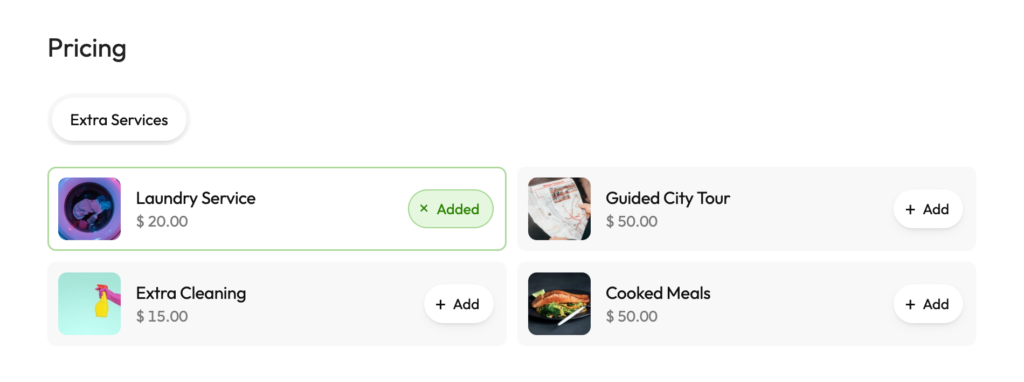
Pricing menus as cards
We’ve reworked pricing menus into cards, with tabs for listings that have several menus. A restaurant, for example, can keep its different menus in separate tabs.
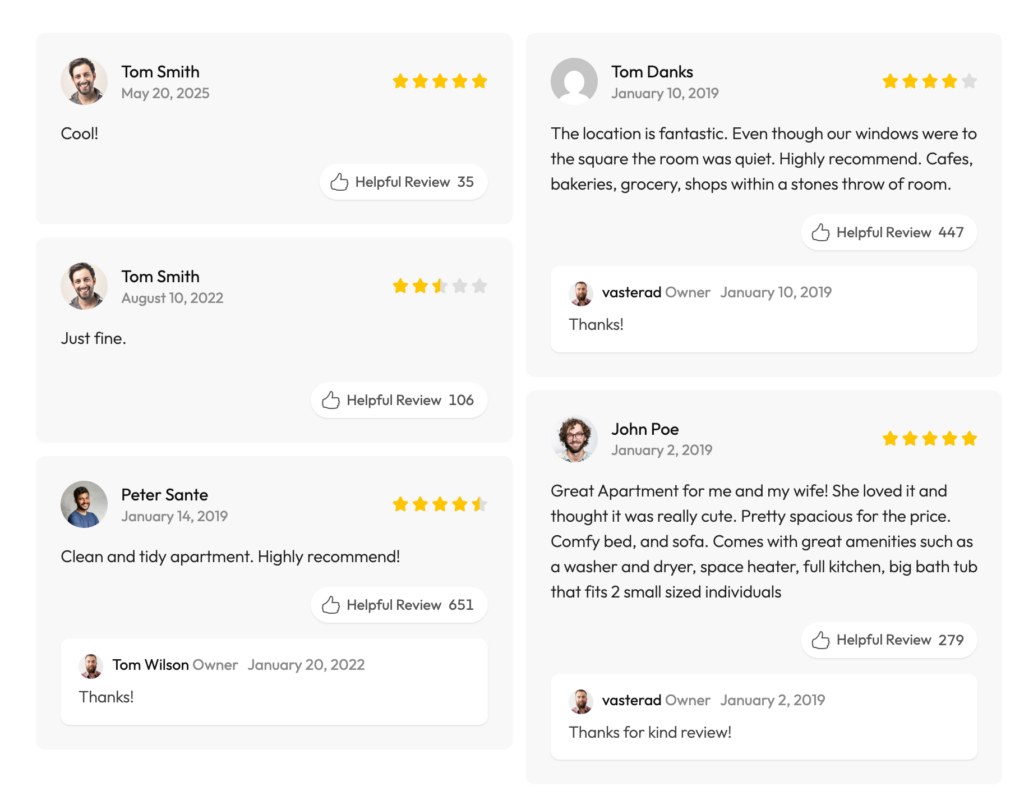
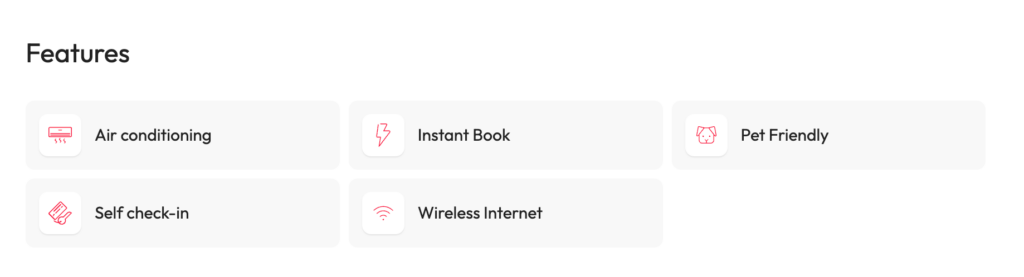
Features, reviews and Google reviews
Features and reviews have new card layouts too, and Google reviews sit in a carousel.
Sticky section menu
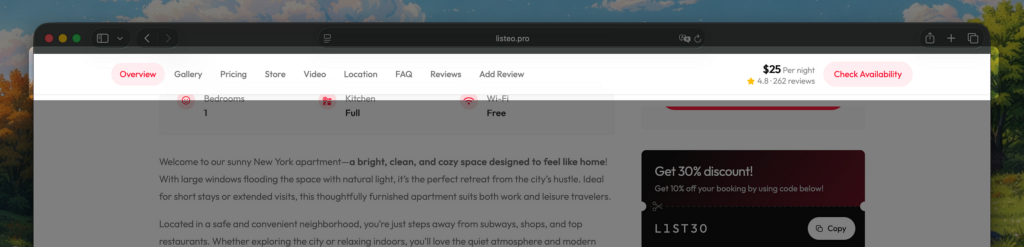
There’s also a sticky section menu with a booking shortcut. As visitors scroll through photos, prices and reviews, they can jump between sections or use “Check Availability” to get back to booking.
A lighter availability calendar
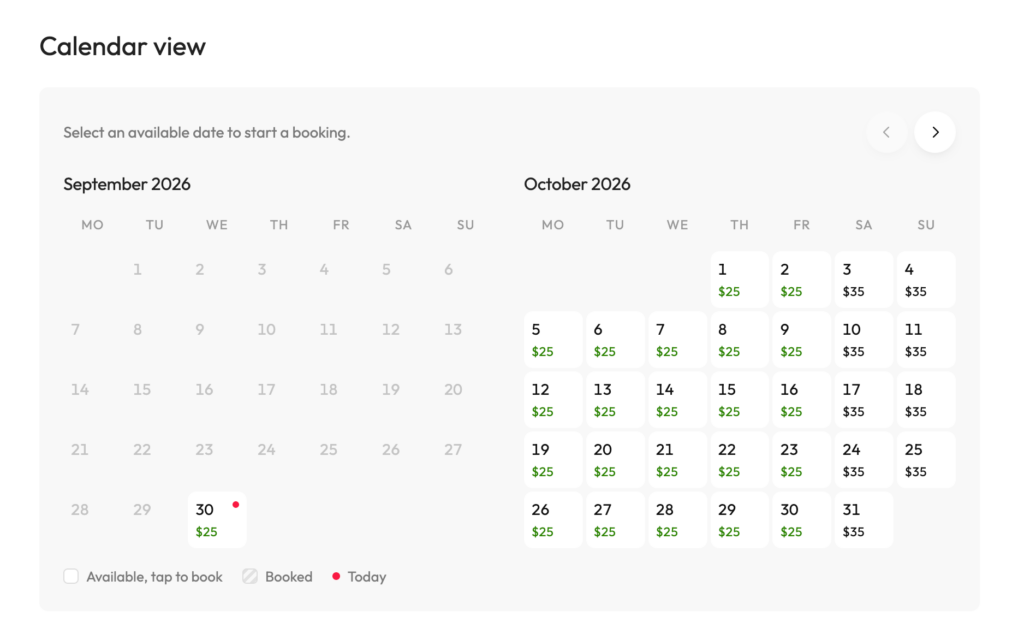
We’ve replaced FullCalendar on individual listing pages with a lighter calendar built for that view. It includes clearer loading and error messages, plus a retry option if availability fails to load.
Nearby places and coupons
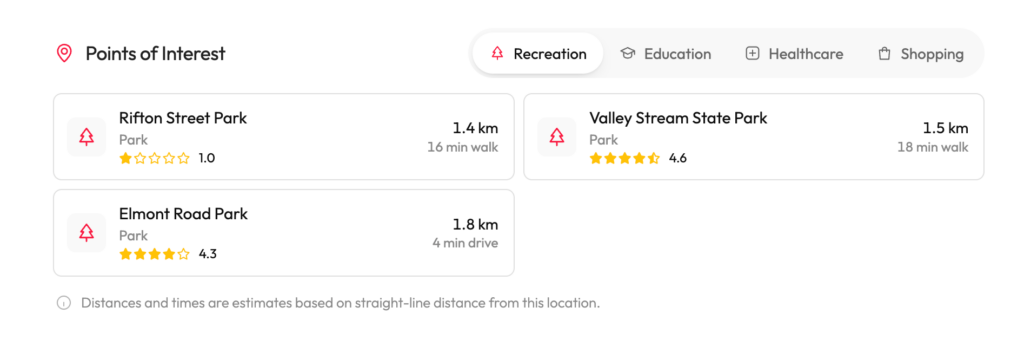
Nearby places have had a refresh as well. The POI cards show place types and walking or driving distance labels. Clicking a card opens directions in Google Maps.
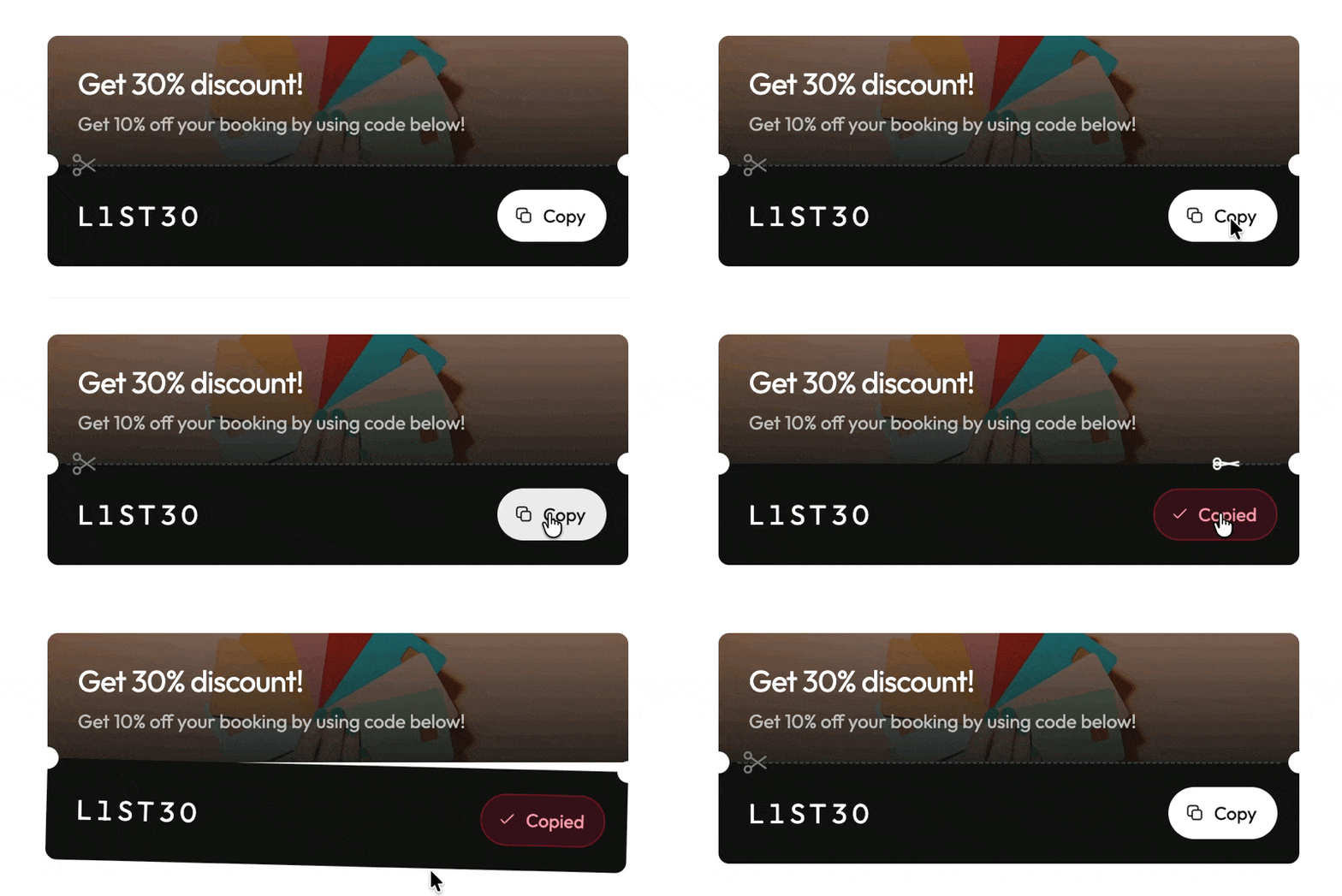
And coupons got some attention. The sidebar card has a new design and a copy button. Visitors can copy a code without selecting the text by hand.
A directory for the people behind the listings
We’ve added an Owners Directory alongside the existing listing views.
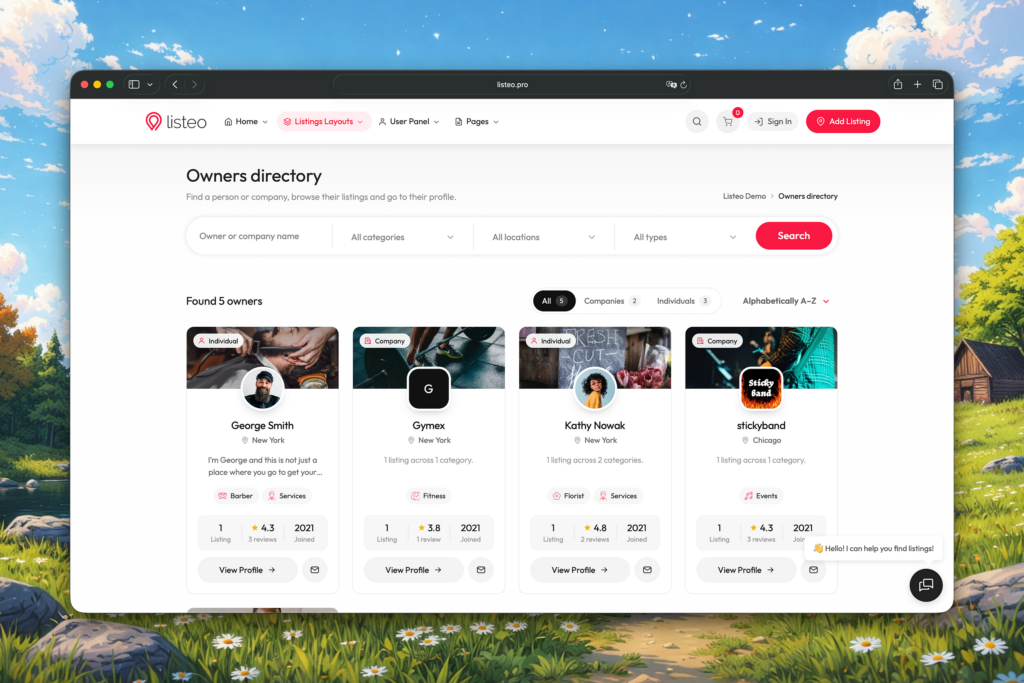
It gives visitors another way to browse: through the people and companies behind the listings. On some sites, choosing a provider matters as much as choosing an individual service or property.
Listeo Booking Plus 1.0.21
Some of the most useful work in this batch is in Booking Plus. These details matter when you manage availability in more than one place.
- Calendar imports: we fixed resource calendar imports and added automatic refreshes every 30 minutes.
- Blocked dates: if an owner blocks dates for the whole listing, those dates also block its resources. That applies when someone chooses a specific resource or checks the next available date.
- Capacity: an imported calendar event could count as just one booking, so a slot with room for several bookings could still appear available. Imported events and owner blocks now make the affected slot fully unavailable.
- Sync: events removed from an external feed are cleared during sync, and one unreachable calendar feed no longer stops the other resources from syncing.
New popup animations
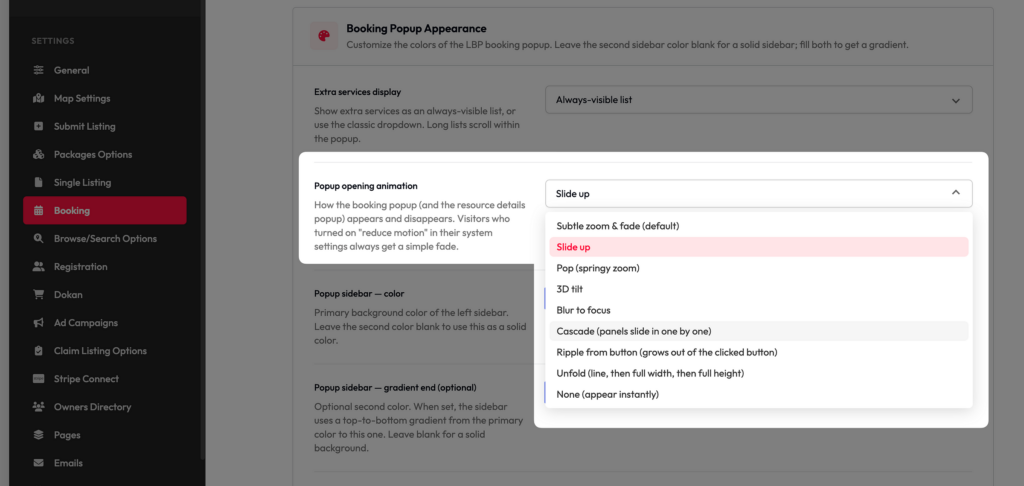
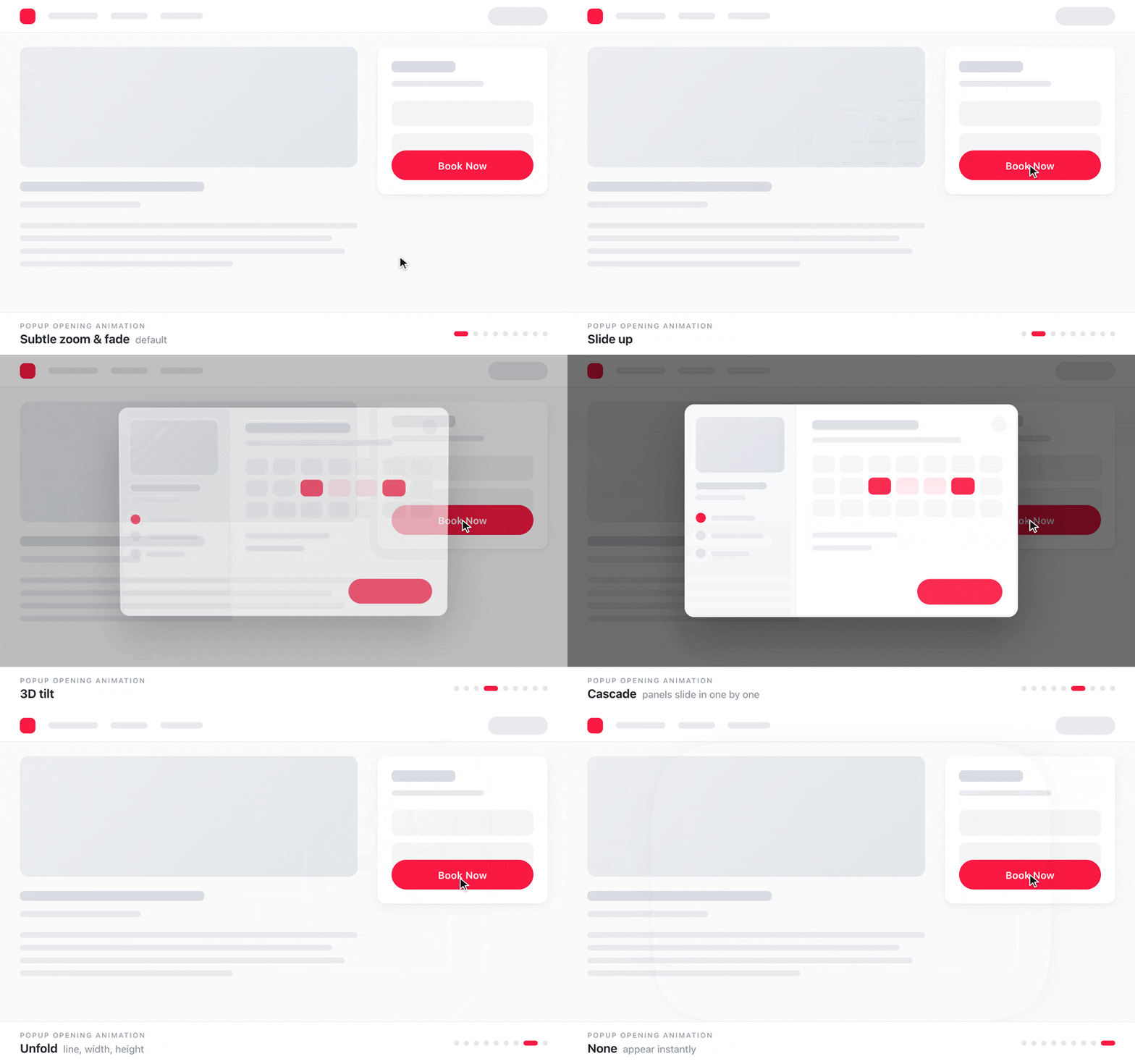
We also worked on the visual side. The UI of the popup booking form was greatly improved in the last update, and the popup now has some new animations. You can select one of several effects in the options:
And here’s a small preview of the current effects:
More control over maps and profiles
The smaller fixes
There are plenty of changes that won’t stand out in a screenshot.
- Saving or renewing a listing could create duplicate media attachments. We fixed that.
- Page-specific scripts no longer load across the whole site when certain page settings are empty.
- Parent categories get more accurate listing counts in the affected widgets, and map results include listings assigned to their child categories.
- Several icon fonts have smaller files, and font loading is adjusted to address the PageSpeed font-display warning.
- An optional failed-login limit, tighter upload validation, and fixes for booking phone validation and the review form CAPTCHA.
- The button for restoring hidden conversations is visible again.
Before you update
We’d like to hear how these changes fit your site. Would your visitors use an Owners Directory? And where does your booking setup still leave you doing things manually?
Full list of changes: Listeo changelog.