Listeo Update 2.2.3 Report
 purethemes
5 min read
purethemes
5 min read
Two things in this week’s Listeo release are worth your attention. Owners can now buy a listing ad placement for a period of time instead of per view or per click, and the “Open Now” filter has been rebuilt from scratch.
Everything else is repair work. We’ve noticed a lot of you now generate bug reports using AI, which actually helps a lot, so thanks!
- Ads by the day: sell listing ad placements for a period of time, not only per view or per click.
- Open Now: the filter is rebuilt and back in the search form builder.
- Package fallback: listings move to another package (usually a free plan) instead of expiring.
- Search: multi-word keywords, term name matching, sorting and address fields.
- Fixes: review CAPTCHA, booking emails, decimal prices and more.
Ad campaigns you can sell by the day
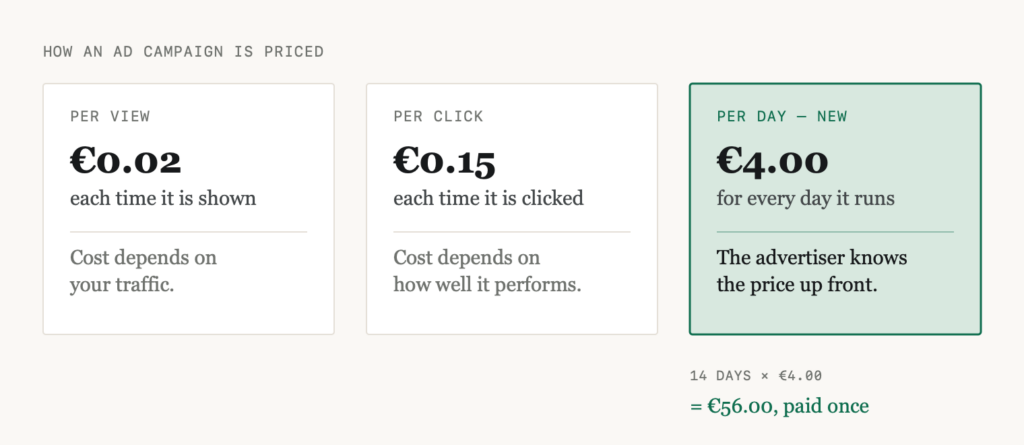
Until now an advertiser paid per view or per click. There’s a third option now (with special dedication to Riccardo 🙂). You set a price per day, a minimum and a maximum duration, and the advertiser picks how long they want to run. They see the total before they pay.
The campaign forms also had a thorough round of security work, which was overdue.
- Submitting an ad is safer, and placements you haven’t priced and budgets outside your limits are rejected.
- One running campaign per listing.
- Deleting an ad is restricted to its owner or an administrator.
- Click tracking no longer trusts the campaign type and placement sent by the browser.
Search listings by those that are Open Now
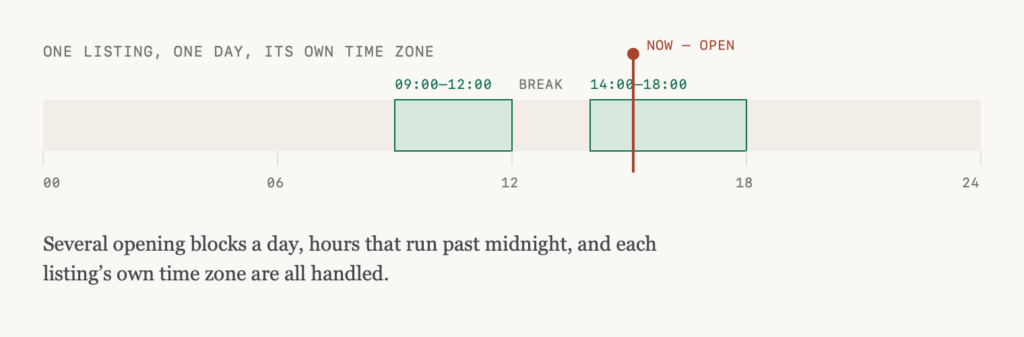
The “Open Now” filter had been quietly available in Listeo for a while but never in the search form, and where it did run it filtered results after the database had already counted them.
It’s been rebuilt and it’s back in the builder. You can add it in Listeo Editor > Search Forms. It works on every layout, including the half-map view, and the numbers are right because the filter is now part of the query rather than something applied afterwards.
Fallback for listing package expiration
Until now the end of a package was the end of the listing. A one-time package reached its expiry date, or a subscription was cancelled, and the listings went offline. The owner lost their presence, and your directory lost the content.
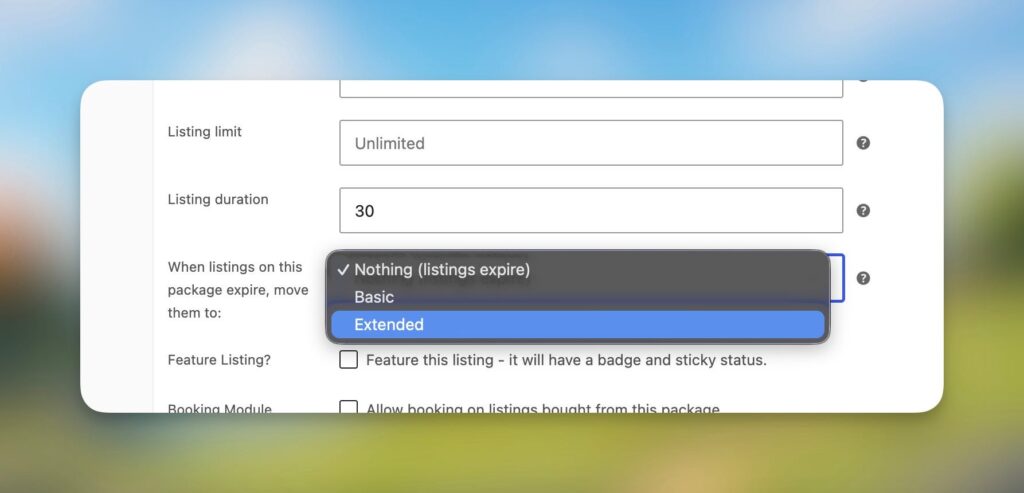
Package products can now name a fallback: when listings on this package expire, move them to another package, usually a free plan. Instead of expiring, the listings stay online and move to that package, with its features and a fresh expiry date from its duration. The listing keeps its status and publish date, and it doesn’t go back through approval.
It changes what a cancelled subscription means. A business that stops paying drops to whatever your free plan offers rather than disappearing, which gives them something to come back to. And if the subscription becomes active again, their listings move back automatically and the free slot is handed back.
Worth knowing before you set one up
- Only one-time packages can be used as a fallback.
- If the fallback has fewer slots than there are listings to move, the oldest are moved and the rest expire as they did before.
- Event listings that expire through “Expire listings after the event” aren’t moved.
- The “expiring soon” reminder isn’t sent when a package has a fallback, since the listing isn’t going anywhere. There’s a new email for that case instead, “Listing moved to another package”, which you’ll find in Listeo Core > Emails.
Search
A few things in search were wrong. Searching for two words matched listings containing only one of them, so senior care returned everything mentioning care. The search was meant to require both, but the conditions were combined in a way SQL reads differently than it looks.
The smaller fixes
If you have reCAPTCHA enabled on reviews, the form showed the CAPTCHA field to everyone, but the script that fills it is deliberately not loaded for signed-in users, so an empty token was submitted and treated as a failed check. A rejected guest review was also reported back as “awaiting approval”, so the error never appeared.
In some cases the booking emails were being sent before the booking was saved. Usually nothing came of it, but if two requests changed the same booking at once, or a filter cancelled the change, the messages went out for a booking that never changed status. A free booking approved with “Approve Booking” also never got its Zoom meeting, while the same booking marked through “Confirm Payment” did.
Number fields in the settings now accept a comma as the decimal separator. If your browser’s language expects a full stop, typing 0,15 submitted an empty value: the price looked entered, saved as blank, and nothing warned you. On per-click ad prices that meant a campaign priced at nothing.
And the rest, briefly:
- With Maps Provider set to None, WordPress logged a dependency warning on every page view.
- Listing owners were getting the “listing expired” email twice.
- A Drilldown field in the panel column of a fullwidth or boxed search form printed raw template code onto the page.
- The Search Form widget has a “Search Button Text” control.
Before you update
Full list of changes: Listeo changelog.