Author Archive

Coupons

How to add new coupon by owner

To add a new coupon, go to Dashboard → Coupons and click Add New Coupon. The opening screen will present you with the coupon code and other settings.


How to set up a coupon widget

If you would like to display a widget with coupon code and description first you have to add Coupon Widget in Appearance → Widgets for Single Listing Page

Then you can select specific coupon and enable widget for each listing in listing editor:


Managing coupons

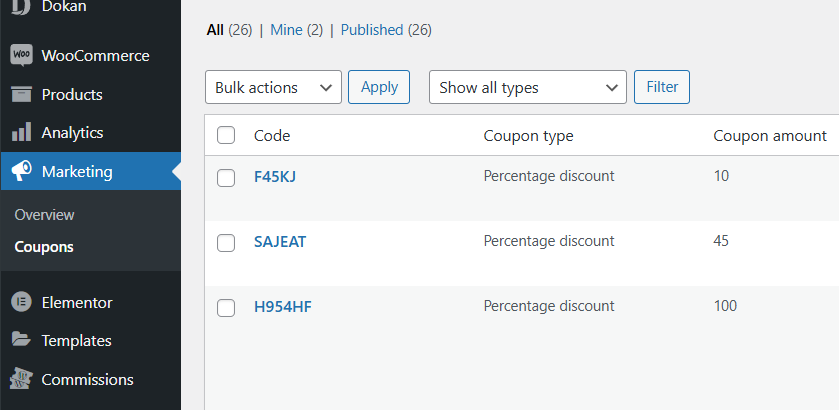
From WordPress admin in WooCoomerce. Navigate to WP Admin → Marketing → Coupons. You can manage there both user coupons and own created by site admin.


Coupons do not work

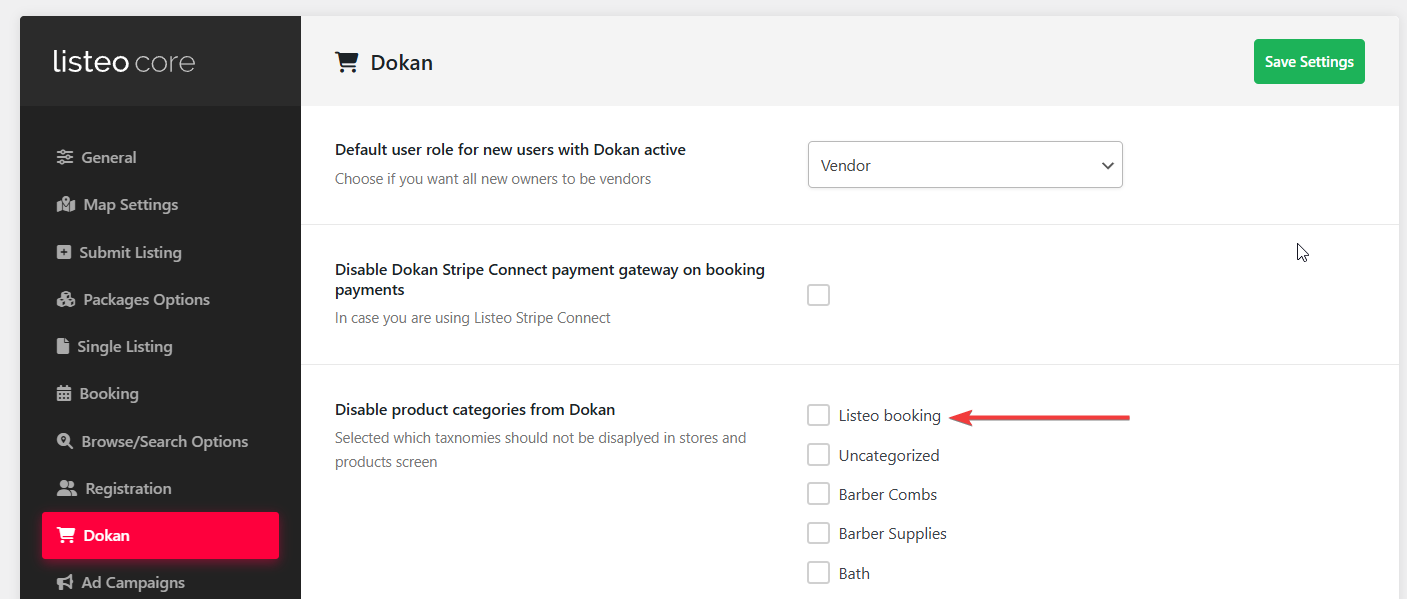
If after all steps above you still can’t see coupons in listing pages and add listing form most likely you disabled them in  Listeo Core → Booking → Remove Coupons option from Booking widget and confirmation

Also make sure “Coupons” page is created with [listeo_coupons]  shortcode and assigned in Listeo Core → Pages → Coupons Manage Page


Categories and Sub Categories

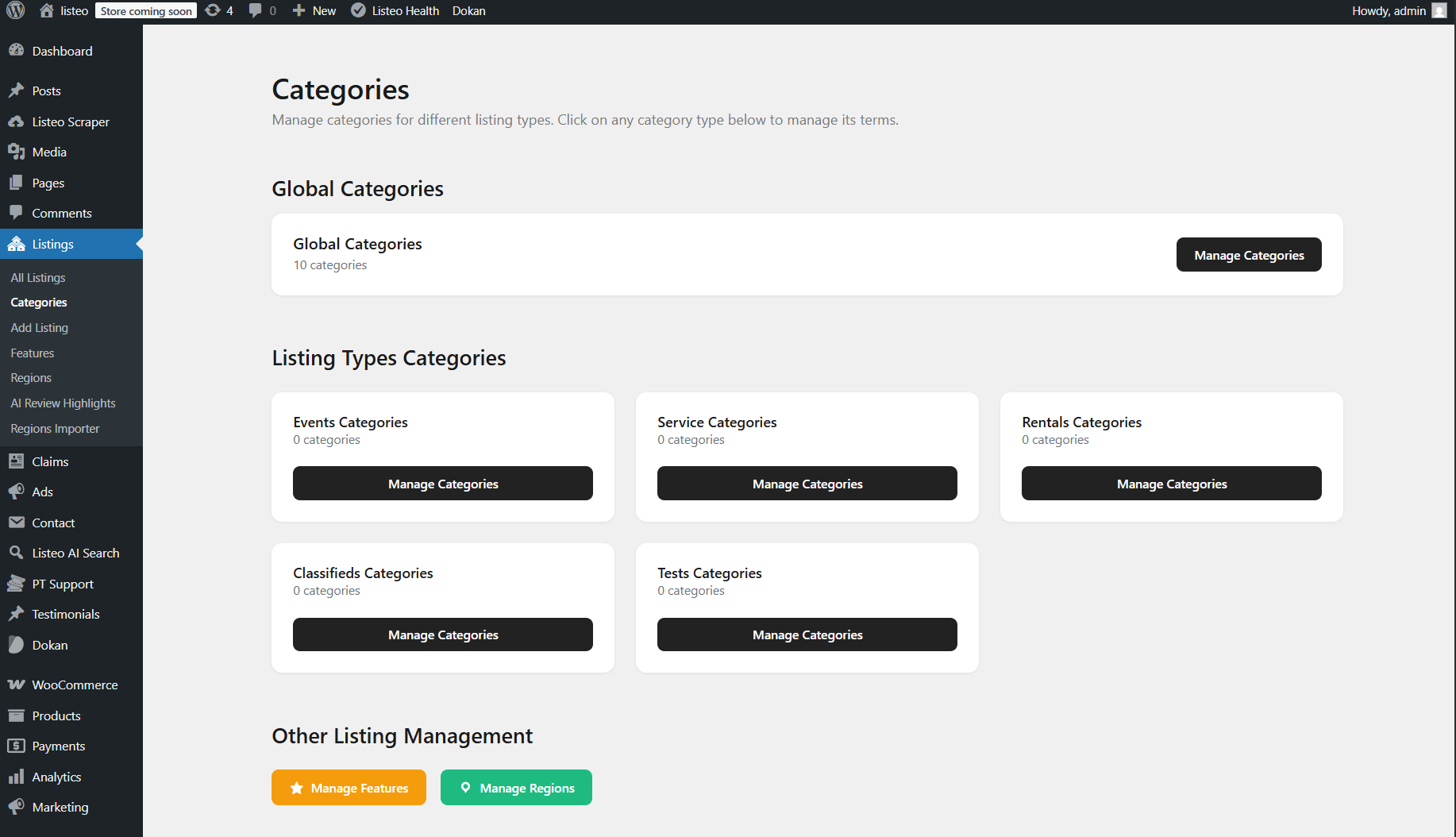
This guide explains how categories work in Listeo. You can modify categories by navigating to WordPress Dashboard → Listings → Categories

Unlimited-Level Navigation, an example:
Level 1: Listing types (Services, Rentals, Events, Classifieds)
Level 2: Categories specific to each type (e.g., Restaurants under Services)
Level 3: Sub categories related to previous parent category (e.g. Italy Food, Asian Food under Restaurants)

User Flow:
1. User click drilldown field
2. Select listing type (e.g., “Services”)
3. Select specific category (e.g., “Restaurants”)
4. Can drill deeper into subcategories if available


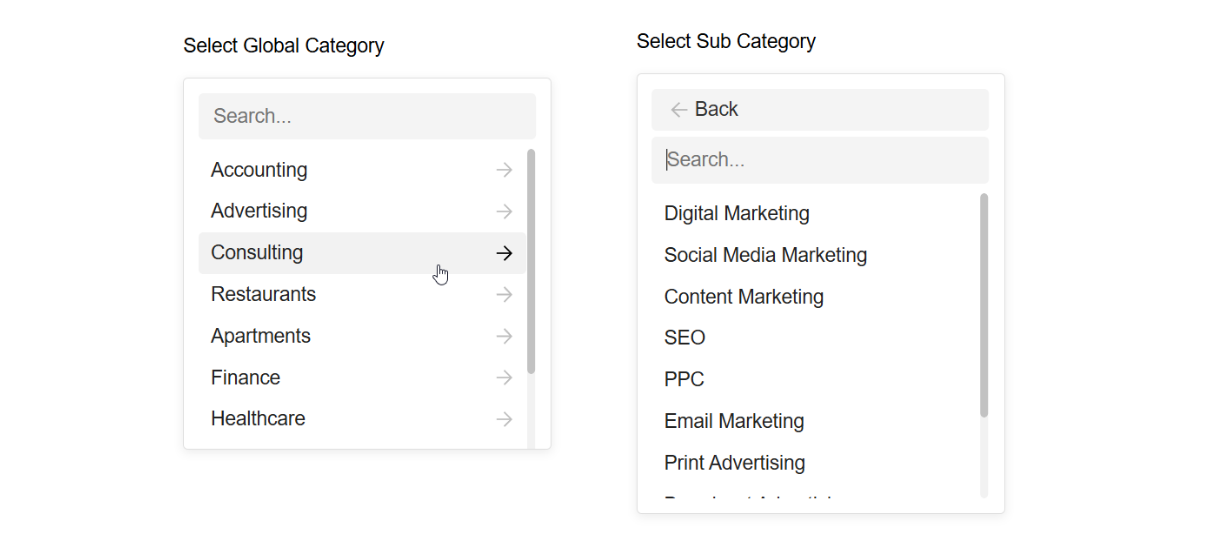
Option 1 (Global Categories Drilldown)

This approach works best when listing types have common categories between them. By using Global Categories shared across all listing types, users start with the main shared categories at the surface level, then navigate through hierarchical subcategories as they go deeper.

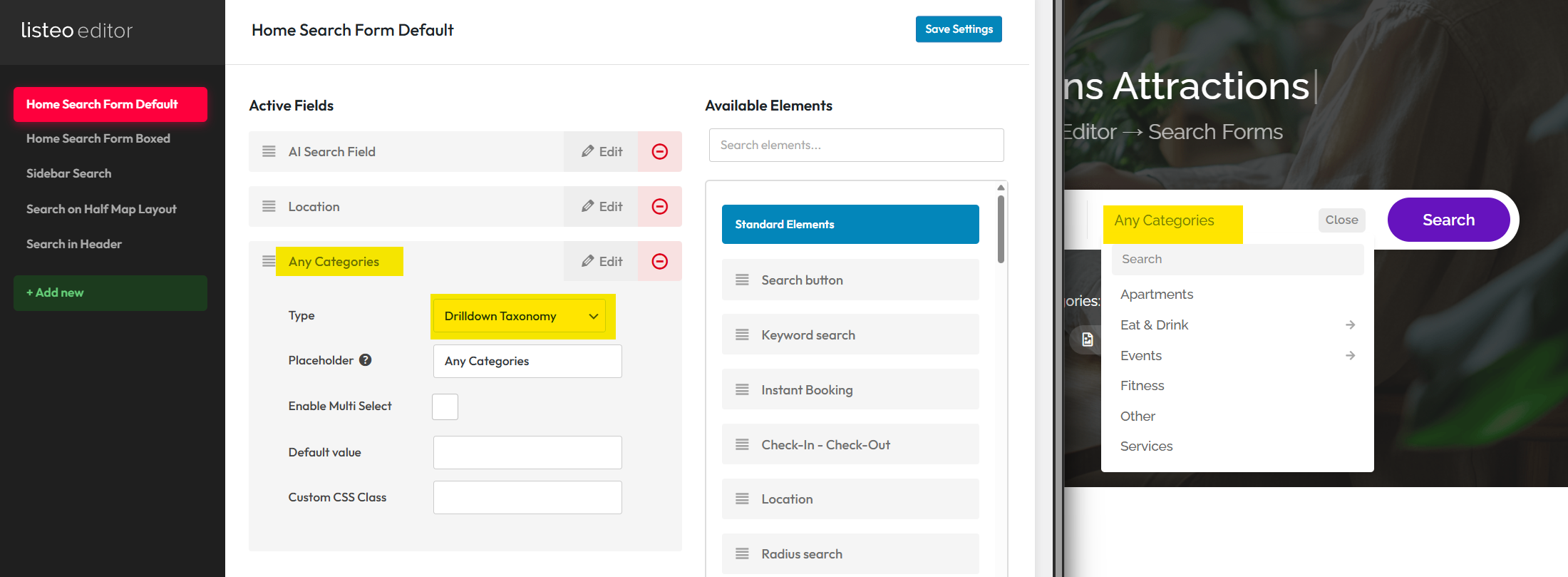
Simply add “Any Categories” search filter, select “Drilldown Taxonomy” and add to the search form where you need it.

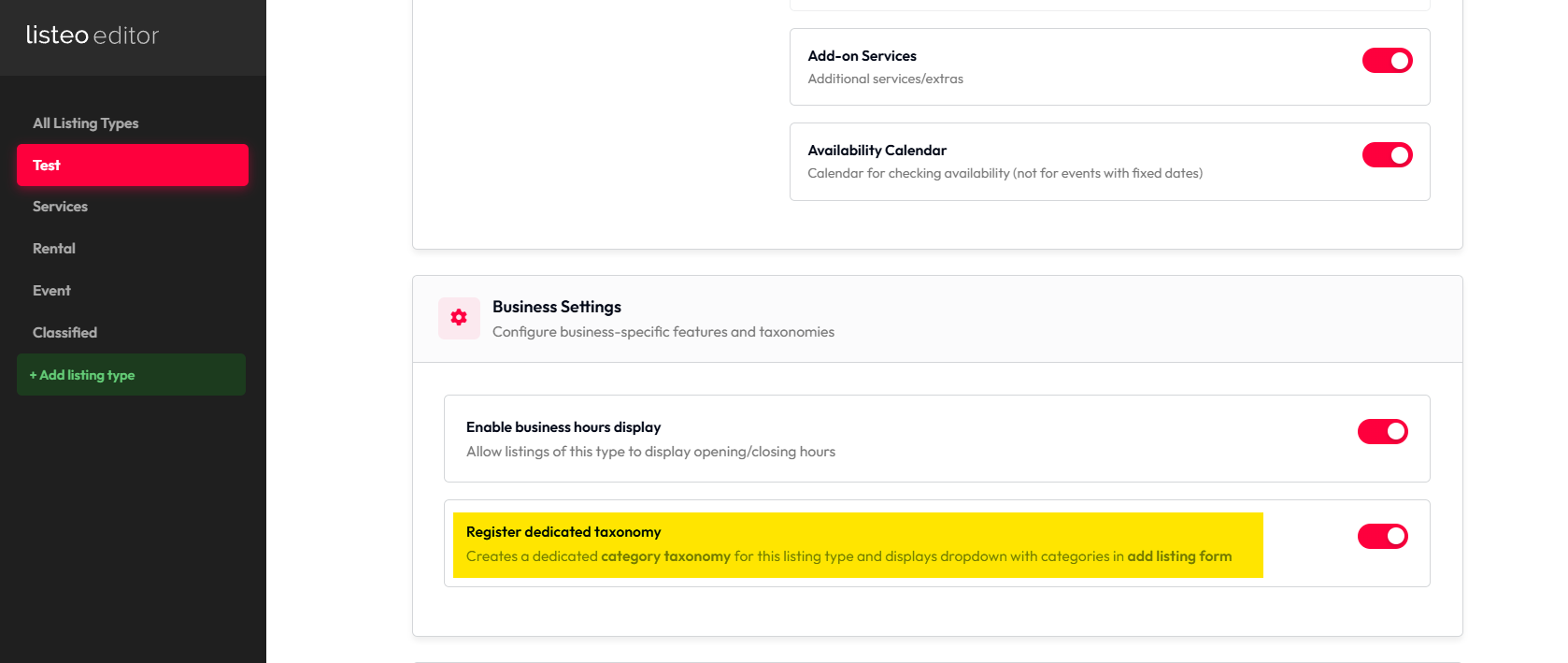
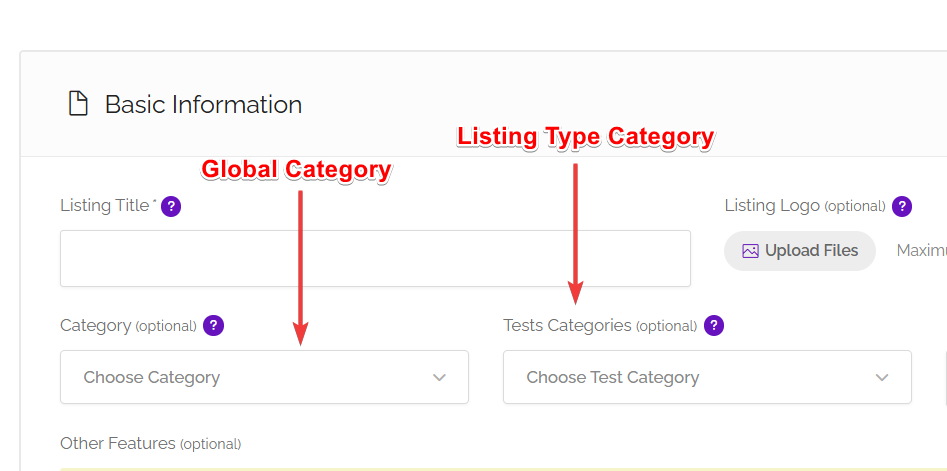
To avoid displaying both Global and Listing Type categories in add listing you need to disable “Register dedicated taxonomy” option


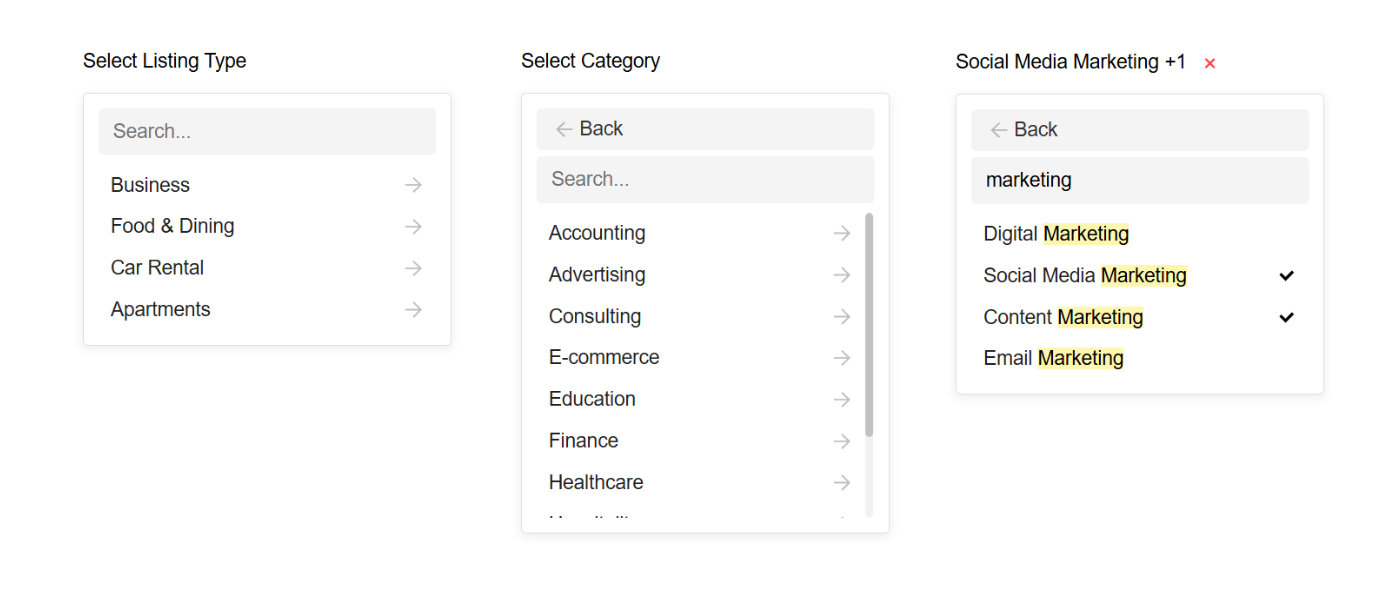
Option 2 (Listing Type + Categories Drilldown)

This approach works well for unrelated listing types with distinct category structures, using a hierarchical, multi-level dropdown menu. Users start with the main listing types at the surface level, then navigate through nested categories specific to each listing type at deeper levels.

Main advantage of this approach is the fact that you can edit for each listing type add listing form individually.

Requires Listeo at least Listeo v2.0

When creating custom listing type make sure to check “register dedicated taxonomy” – this will display listing type in categories page.

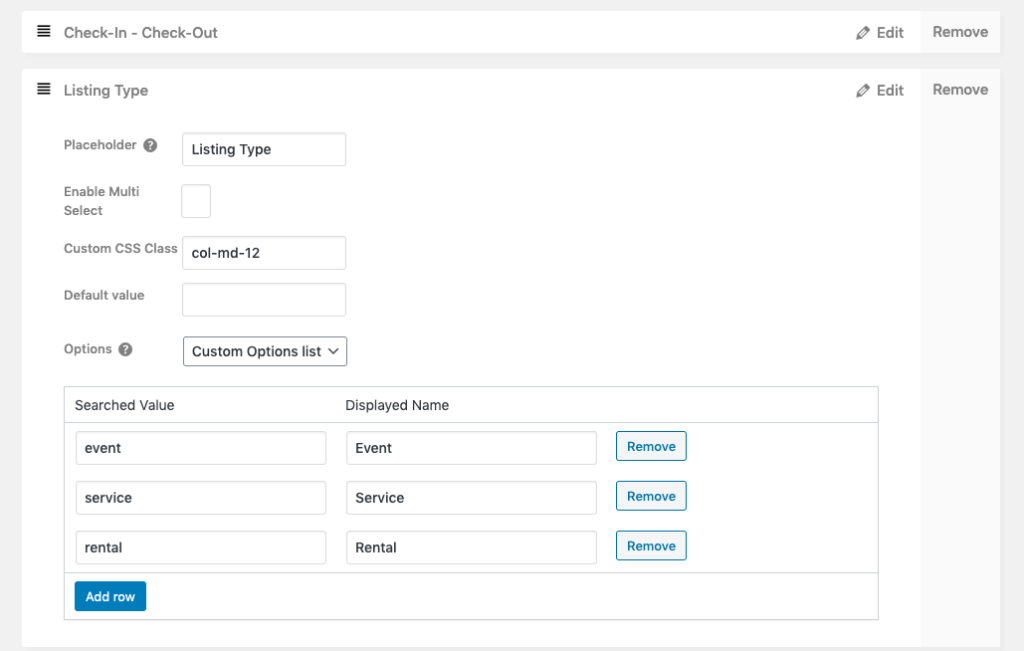
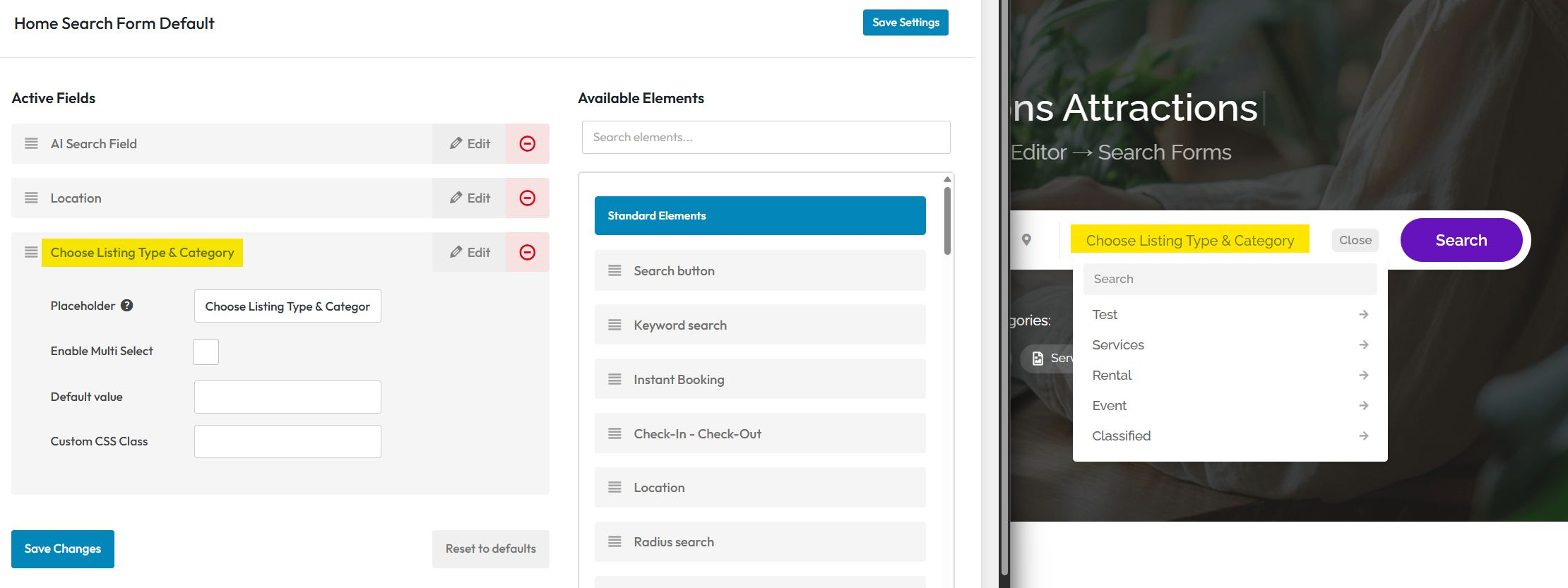
Add the “Choose Listing Type & Category” search filter to the search form using Listeo Editor.

To display  Listing Type categories in add listing you need to enable “Register dedicated taxonomy” option

You can remove “Global Category” dropdown in Listeo Editor in this case if you won’t use it and leave only “Listing Type Categories”


Bulk Add Categories

This feature in WP Admin → Listings → Bulk Add Categories allows you to quickly import multiple categories and subcategories at once using a simple text format.

Simply enter one category per line, use dashes to define hierarchy levels (- for subcategory, — for sub-subcategory), and optionally add FontAwesome icons using the pipe separator (e.g., Restaurant|fas fa-utensils).

You can AI assistants like ChatGPT or Claude to generate category lists – just copy the built-in prompt template and describe your business type. The feature supports all category types including global categories and listing type-specific categories like Service, Event, and Rental categories.

Changelog

Before browsing new features (on our demo or your website after update) please flush cache and perform “hard reload” by pressing Ctrl + F5 (or Cmd + Shift + R on Mac). 🙂

After theme update:
1. Make sure you updated also plugins (Listeo Core, Listeo Editor, and Listeo Elementor)
2. Clear your website’s cache and hosting cache after the update

03/08/2026

2.1.0

New
  • Purethemes MCP support - new free plugin to run your directory by chatting with ChatGPT or Claude: listings, bookings, availability, moderation and WooCommerce. Connects over OAuth with per-tool permissions and an activity log.
Fixes
  • Booking calendar no longer leaves stale rows when you unblock the last blocked date or clear all special prices.
  • Manual "Add booking" now respects the listing's guest settings (guests hidden when disabled, Children column, min/max).
  • "Find my location" moves the pin on the submit-listing map.
  • Checkbox custom-field search no longer returns every listing.
  • Dynamic feature selections are kept when switching categories while editing.
  • iCal reader fixed for PHP 8.2.
  • Team feature: closed a renewal-endpoint auth gap and tightened resource-scope and member-scope checks.
Updated
  • Admin date pickers follow the site date format.
  • Editor: Booking Plus ticket types and recurring schedule can be used as multi-step form sections; option icons.
18/07/2026

2.0.54

Fixes
  • Some UI fixes
  • Fixes for Team functionality
New
  • new hooks and filters
Improved
  • Improvements for new Elementor Widgets
Updated
  • Some compatibility updates for Listeo Booking Plus
Tweaks
  • Performance optimizations
15/07/2026

2.0.53

New
  • New Elementor demo widgets: Simple Hero, Fan Hero, Marketplace 3D Hero, Bento Grid, Stories Bento, Account Types Bento, Category Marquee, Taxonomy Expanding Strip, Feature Tabs, Reviews Marquee, Modern FAQ, Accent Headline/Markup and Hero Slide Source — powering new demo homepage layouts (Listeo Elementor add-on).
  • New "Verified users only" messaging setting: when enabled, only users marked "Verified" on their profile can start or reply to private messages; everyone else sees a notice instead of the message form.
Fixes
  • Elementor editor loads noticeably faster on sites with many taxonomy terms (dynamic-tag field discovery no longer runs a database lookup per term).
Tweaks
  • Minor visual polish to the modern bookings list and the manual booking dialog.
Changes
  • Zoom: listing owners (hosts) can now optionally receive their own "New Zoom Meeting" email when a booking gets a meeting, including a new {meeting_timezone} placeholder. Off by default.
  • Team / Employees: listing owners can invite staff members and grant them scoped access — to editing, bookings, and/or messages — for specific listings or individual Booking Plus resources. Includes a dedicated team dashboard, invitation emails, and a "Register & Join Team" onboarding flow for new staff accounts.
  • Modern booking view (dashboard list + single booking) now shows client/host email and phone again, adds quick "Start Zoom" / "Join Zoom" buttons plus a full meeting-details panel, and displays the assigned Booking Plus resource on a booking.
06/07/2026

2.0.52

New
03/07/2026

2.0.51

New
  • Support for Listeo AI Agents module, includes rewritten template-dashboard.php Dashboard navigation is built as a filterable, ordered array so add-ons can insert, remove, reorder or relabel items
Updated
  • New hooks and filters for easier customizations
Fixes
  • Other small fixes
01/07/2026

2.0.50

New
  • New
  • New Bookings dashboard for Owner and Guest with a single booking view, integrated with Messages chat
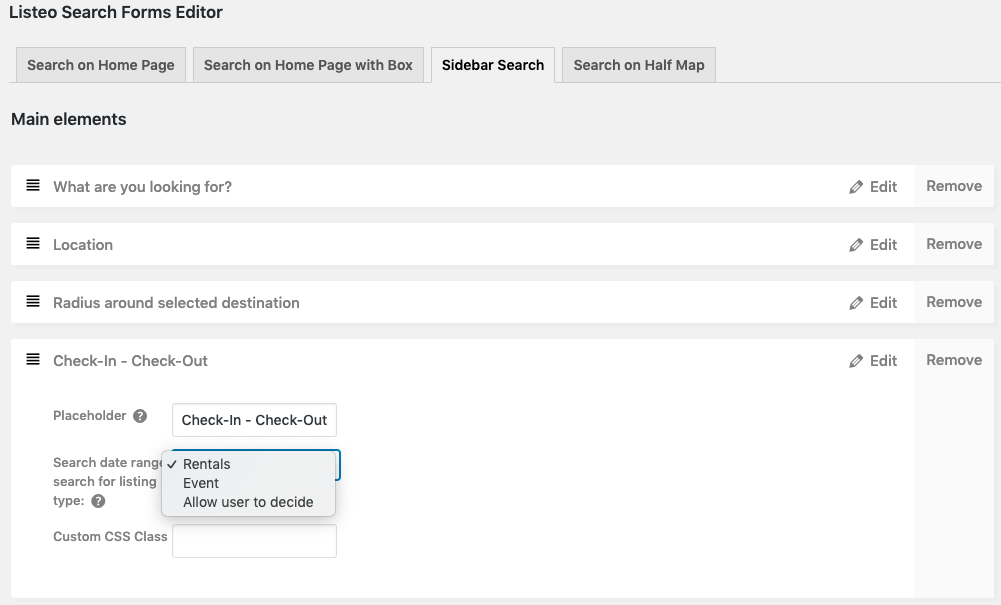
  • new availability / event-date / auto modes. With auto mode you can search by date range all listing types at once
Improved
  • Improved RTL stylesheet
Fixes
  • Some fixes for translations
  • Fixes
  • send_message_ajax no longer re-reads the raw request after sanitizing, and
Changes
  • Booking messaging settings: enable/disable the detail-view chat (auto-off
  • when no Messages page is set) + "allow messaging only after Paid".
  • Date-range search is now capability-driven (Date Range / Tickets), not
  • hardcoded to rental/event slugs, so custom listing types are searchable;
  • Custom listing types with the Tickets capability now write the searchable
  • _event_date_timestamp on save
  • Listings Packages Manager overhaul
  • Price breakdown is now actually stored on bookings
  • returns the conversation id.
  • listeo_count_bookings: missing space broke the author-filter count query.
  • Post Grid / Testimonials Include/Exclude autocomplete is now post-type-aware
  • (suggests posts / testimonials, not listings);
23/06/2026

2.0.49

New
  • Separate "reservation hold" time for bookings pending approval (independent of payment deadline; can be disabled by setting 0).
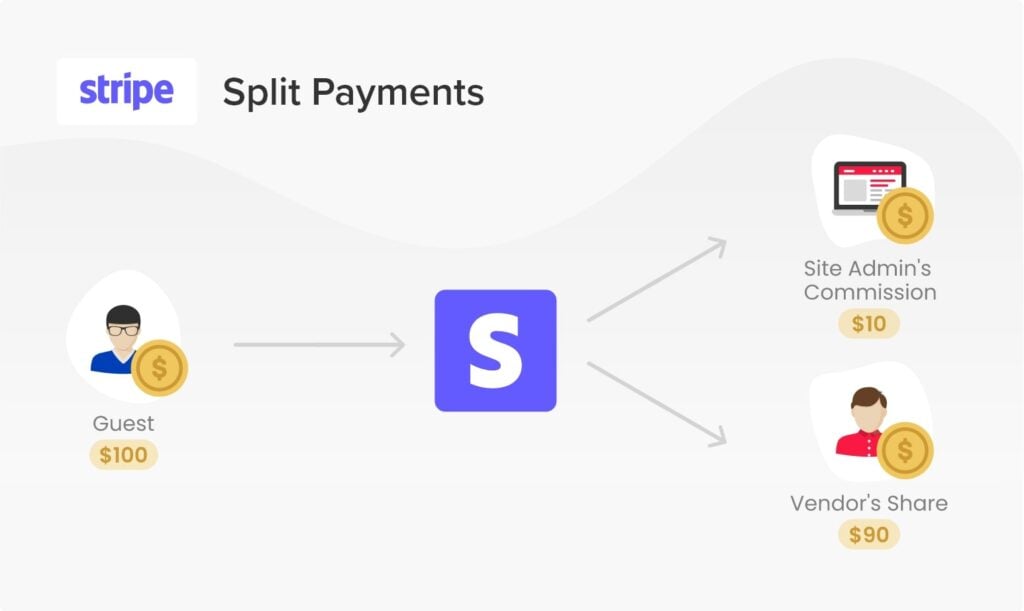
  • Support for fixed-amount commission (flat fee per order) alongside percentage commission in stats and reports.
  • New hooks for add-ons on the booking confirmation page and the post-listing-submission screen.
Updated
  • Updated option to manually Add Booking as owner
  • Listing name in cart, checkout, orders, and emails now shows the current listing title instead of the previously stored version.
  • Listing selector in stats showed all users' listings (now only the user's own; admin still sees all).
  • Pricing Table (WooCommerce) widget now supports membership packages alongside listing packages.
Improved
  • Price summary in the booking widget hides zero-value line items.
  • Expanded the Font Awesome icon list in the icon picker.
Fixes
  • Price breakdown correctly displays fractional values (e.g. "× 1.5 hours").
  • PHP 8 fatal error when calculating service price (empty/free price or symbol/comma).
  • Listing-type save failure ("Unknown column 'booking_type'") — added self-healing for missing DB columns.
  • WordPress pages were being hijacked by listing URL rules and failed to display correctly.
  • Zoom integration OAuth callback redirected to the blog page instead of handling the connection.
  • "Copy to all days" button in opening hours did not work with 12-hour format.
  • Confirmation-page price for multi-tier tickets/events now matches the widget price.
  • Minor escaping and display fixes on the post-submission screen.
  • Listing Resources widget visible again in the Elementor panel and Theme Builder; better listing-context detection and clearer editor messages.
  • Booking Plus resource styles load correctly on Elementor pages and in the editor preview.
  • CSS fixes: dashboard calendar width, select2 dropdown position in the manual booking modal.
18/06/2026

2.0.48

New
Security
  • Security fixes
Improved
  • Listeo Analytics performance enhancements
16/06/2026

2.0.47

New
  • Touch support for front-end drag/sort (gallery, slots, pricing rows) via bundled jQuery UI Touch Punch.
Improved
  • "Login to Book": guest's date + time slot + service now restored after login (was date-only); fee total recomputed (bookings.js).
  • Recurring-event hooks: cards/search show next occurrence or "Past event" badge instead of a past start date (listeo_card_event_date, listeo_detail_event_date_value, listeo_core_event_expiry_ids).
  • Visits counted once per visitor / 30 min (cookie dedupe + new server-side legit_visits stat; analytics sums those).
  • Auto-created WooCommerce booking products now use the listing's featured/gallery image (thumbnail in cart/emails/Stripe).
  • Add-ons: Install enabled when a key is present; license verified at install time and cached.
Updated
  • Booking Plus moved to the license-included add-on flow (no longer "paid separate"); removed PRO badge/filter pill.
Fixes
  • Prevented accidental ticket/event auto-submit on page load
  • Expired/pending-unpaid bookings now release their slot instead of blocking it indefinitely.
  • Recurring events no longer expire on their first occurrence.
  • Google schema image emitted as ImageObject (fixes Search Console error).
  • Safer paid-listings package getters (no undefined-property notices).
14/06/2026

2.0.46

New
  • Listeo Booking Plus Free version included with Listeo
Improved
  • Small user dashboard overhaul

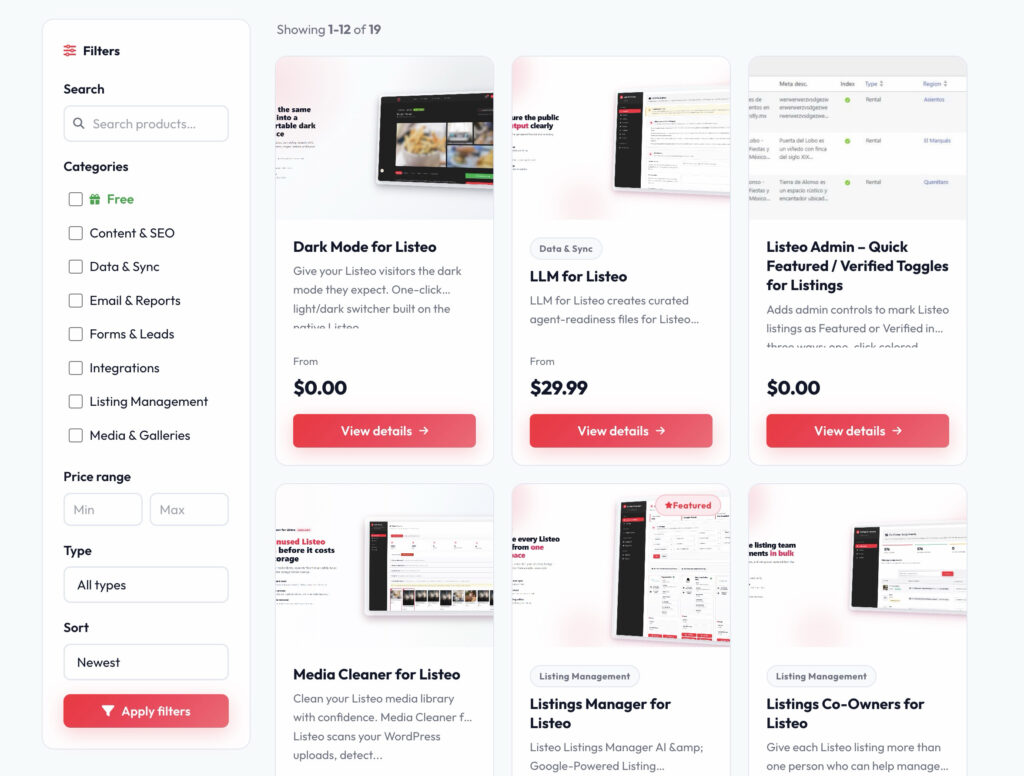
Third Party Extensions for Listeo

We are not affiliated with these extensions and take no responsibility for them. Updates and compatibility are not guaranteed, and similar features may be added to the theme core in the future.

Want your plugin listed here? Contact us at [email protected]. If it meets our guidelines and doesn’t compete with official extensions, we may add it.

https://listingpilot.gr.com/