Google Maps API pricing got you down? You can use alternatives like OpenStreetMaps, MapBox, Bing Maps, Thunderforest or HERE maps.
What’s more Listeo supprorts also location autocomplete feature powered by OpenStreetMap which means that you don’t need to use Google API even for this. It’s exclusive to Listeo – not found in other themes! We took care to develop it with best UX/UI practices and it works as good as Google’s autocomplete.
An example of map and location autocomplete field powered by OpenStreetMap:

An example of map and location autocomplete field powered by Google Maps:

You will find all map settings in Listeo Core → Map Settings:
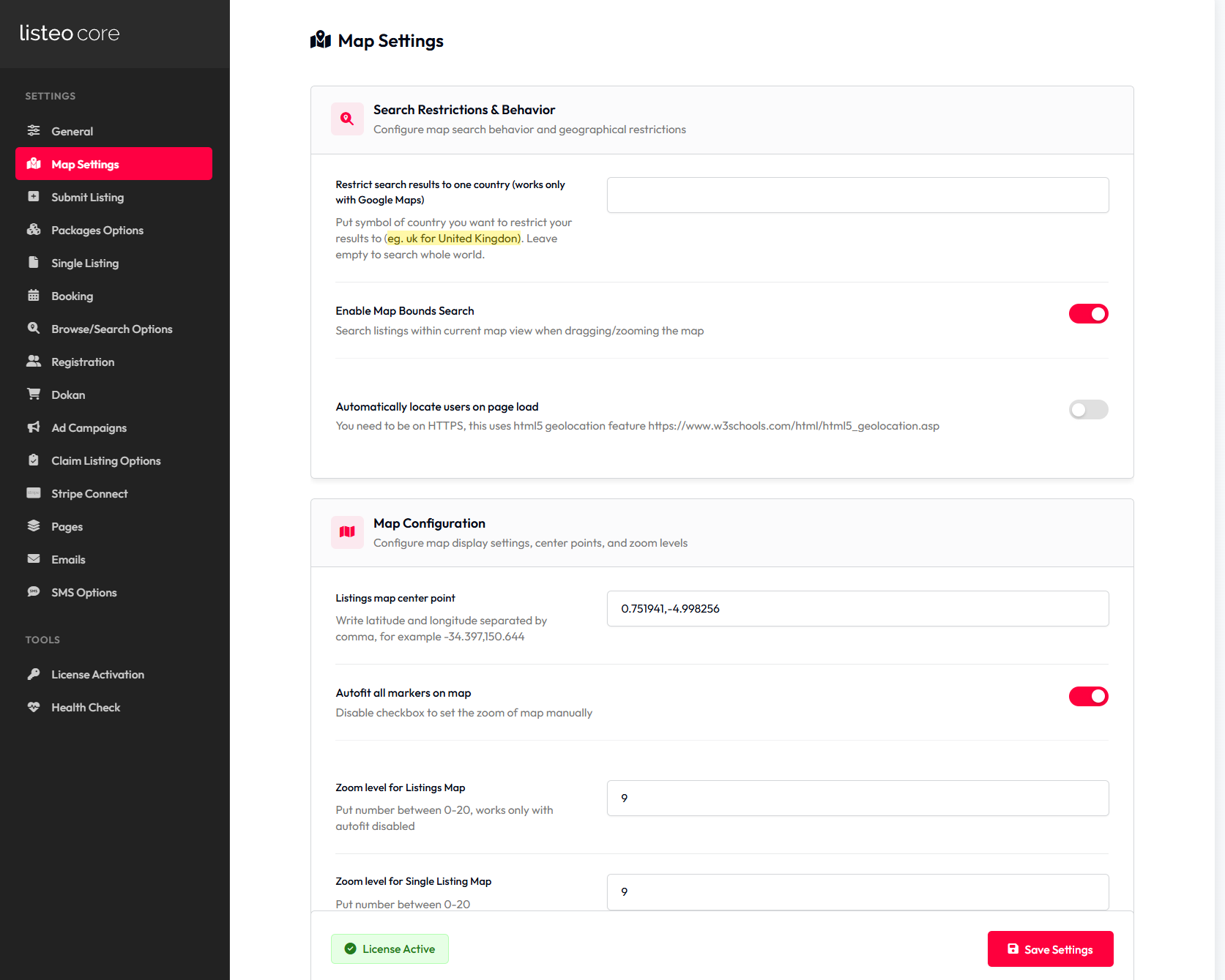
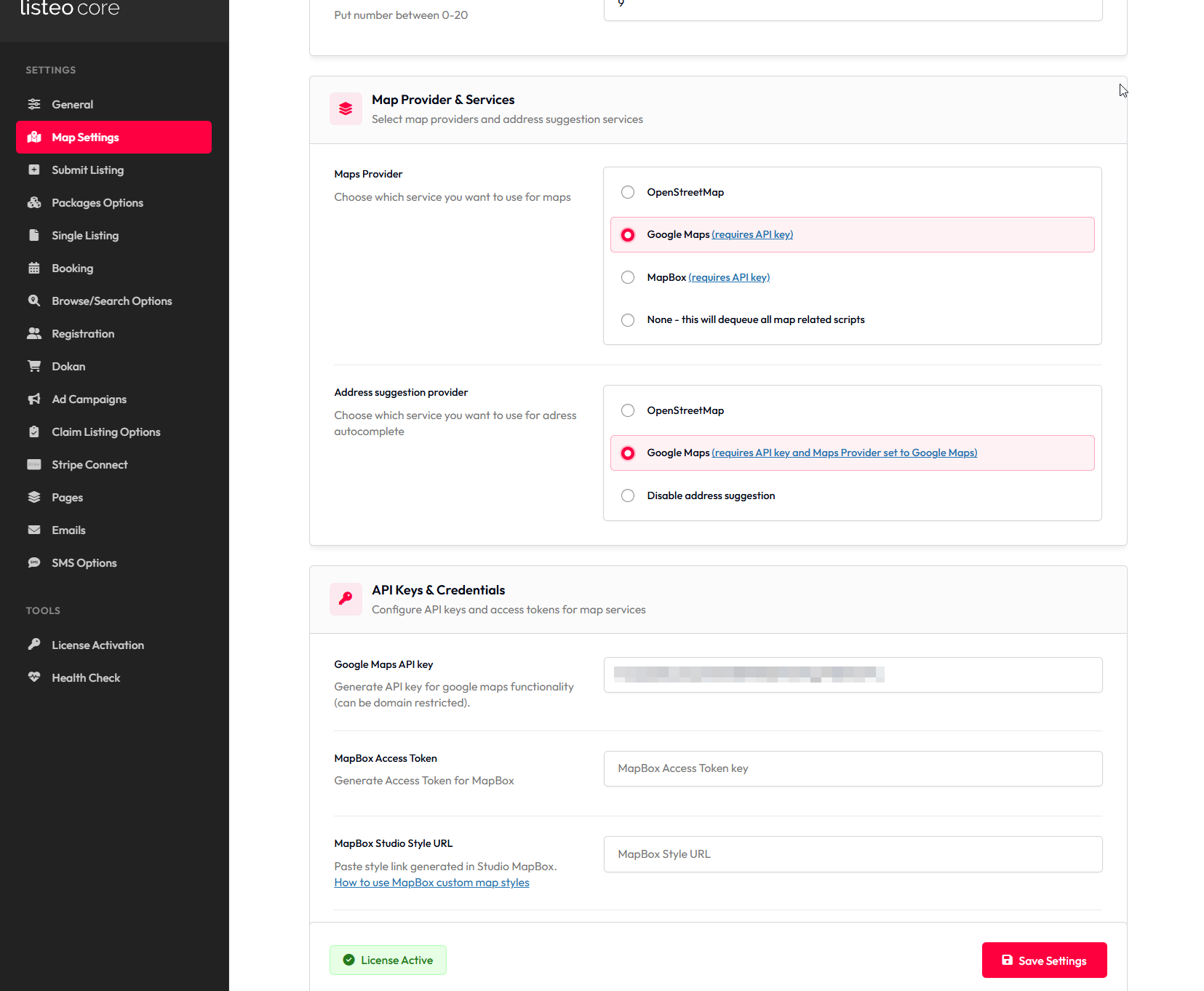
Listeo Core → Map Settings
| Setting Name | Option/Details |
|---|---|
| Search Restrictions & Behavior | |
| Restrict search results to one country | Put symbol of country you want to restrict your results to (eg. uk for United Kingdom). Leave empty to search whole world. text |
| Enable Map Bounds Search | Search listings within current map view when dragging/zooming the map checkbox Default: ON |
| Automatically locate users on page load | You need to be on HTTPS, this uses html5 geolocation feature checkbox Default: OFF |
| Map Configuration | |
| Listings map center point | Write latitude and longitude separated by comma, for example -34.397,150.644 text Default: 29.577712,-45.629483 |
| Autofit all markers on map | Disable checkbox to set the zoom of map manually checkbox Default: ON |