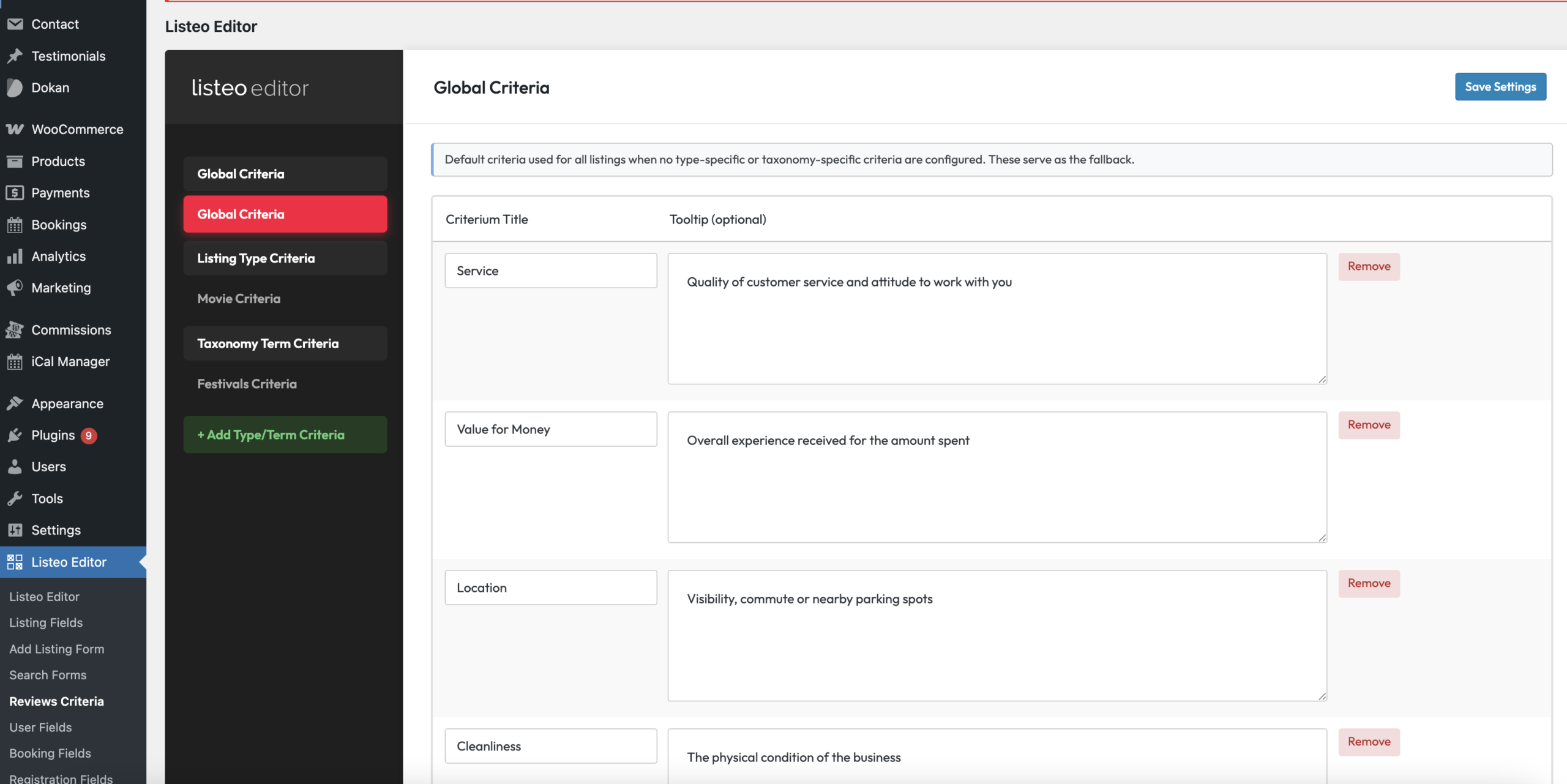
You can configure multi-criteria ratings in Dashboard → Listeo Editor. Tooltips are optional, but it’s good practice to provide a short description for each criterion.
Criteria can be customized per listing type or even per taxonomy term. This works hierarchically: taxonomy term criteria have the highest priority, followed by listing-type criteria, and finally global criteria as the default.


Troubleshooting
If you can’t see “Add Review” form please check following steps:
- Make sure social links are not limited for specific listing package in Listeo Core → Packages Options. Maybe you made reviews to be enabled only in specific package but you did not turn it on in that package: https://docs.purethemes.net/listeo/knowledge-base/paid-listings/#extra-options
- Confirm that reviews are not disabled in Listeo Core → Submit Listing → Disable reviews on listings
- If you try to add review from owner account, you need to enable Listeo Core → Single Listing → Allow owners to add reviews because by default owners can’t add reviews, only guests can
- Ensure you enabled Settings → Discussion → Allow people to submit comments on new posts
- Classified listing type cannot be reviewed.
- Lastly, if you are trying to add review for your own listing (as an admin) – you can’t.