How Radius Search Works?
How it works? If someone types keyword/location field, and select a distance value, the address will be geocoded to latitude and longitude and all properties that are in the selected radius of that point are returned in search results.
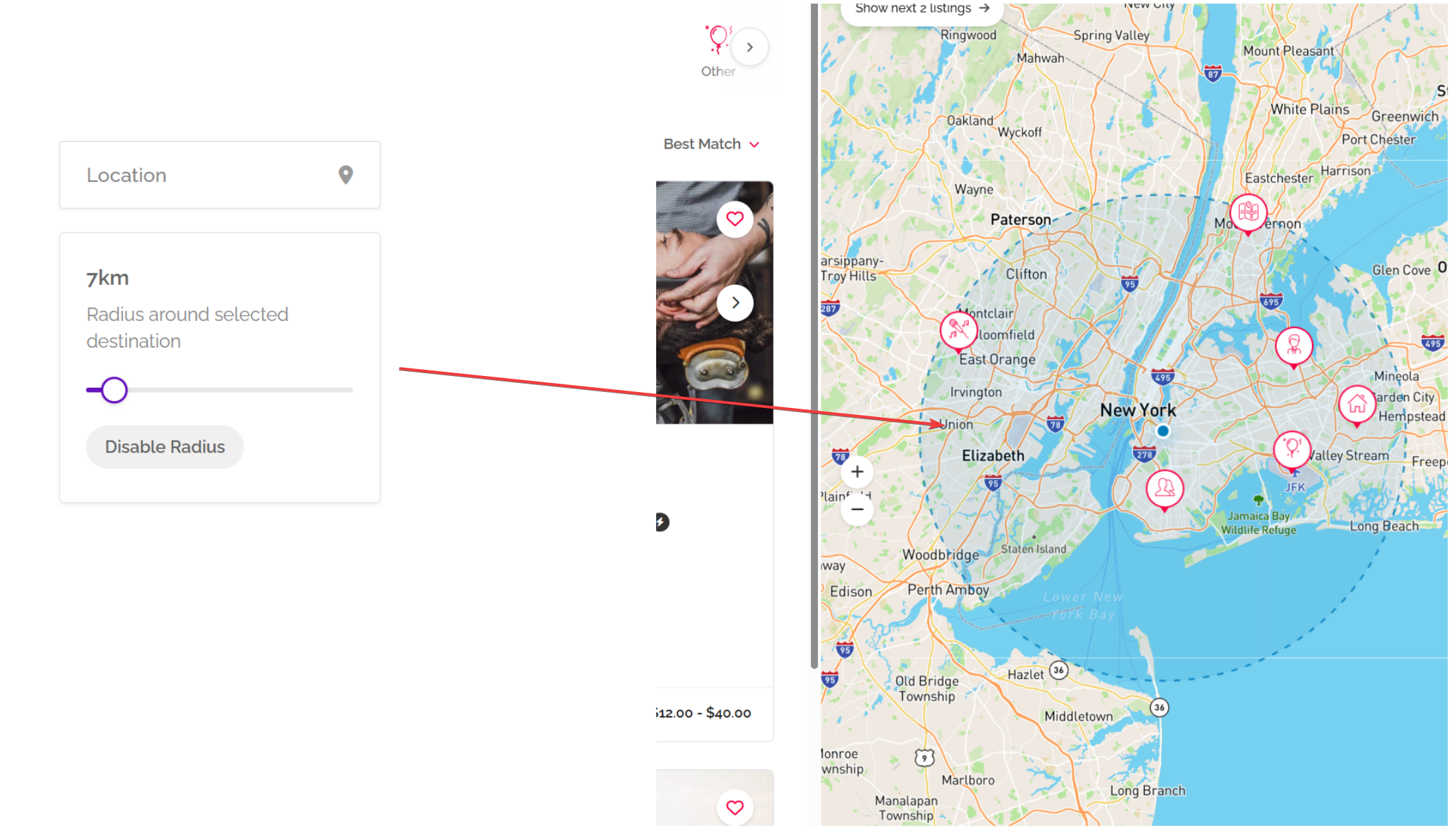
How to enable?
You can use either Google API or Geoapify:
- Using Google API – you need to create Google Maps API Key restricted to your server IP: How to get Google API Key?
- Using Geoapify API: https://www.geoapify.com/geocoding-api/
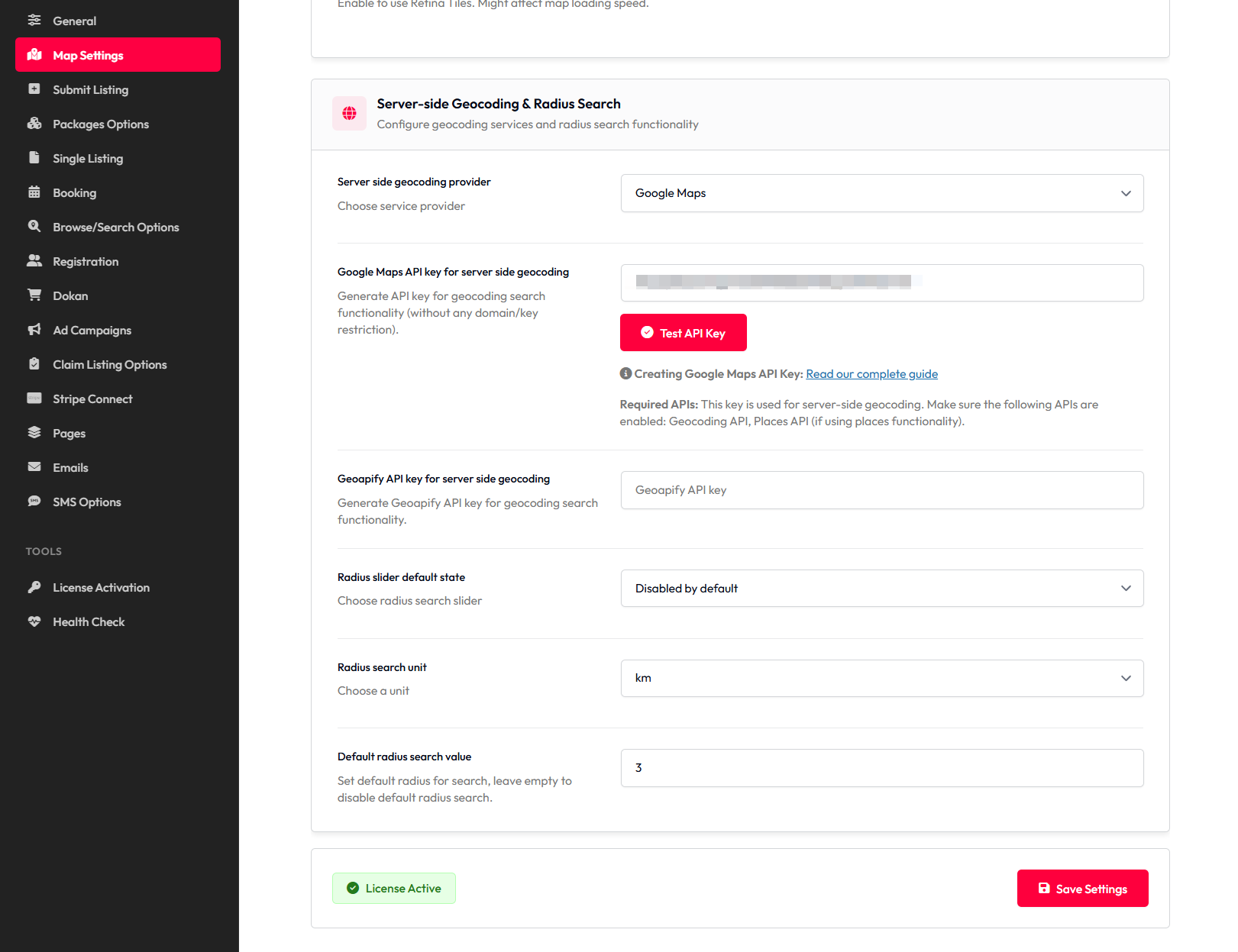
Once you created new API Key, paste it to Listeo Core → Map Settings → Server-side Geocoding & Radius Search
Alternative to Radius – Viewport Search
Check article about new filtering method, Viewport Search – When viewport search is enabled, Listeo uses these bounding box coordinates to find all listings within that rectangular area.
When to Use Each Mode?
Use Viewport Mode:
- When users commonly search for broad locations (states, countries, continents)
Use Radius Mode:
- Sites focused on local/neighborhood search
- “Near me” functionality is important
- Users expect circular search areas
- Listings are concentrated in specific cities