How it works?
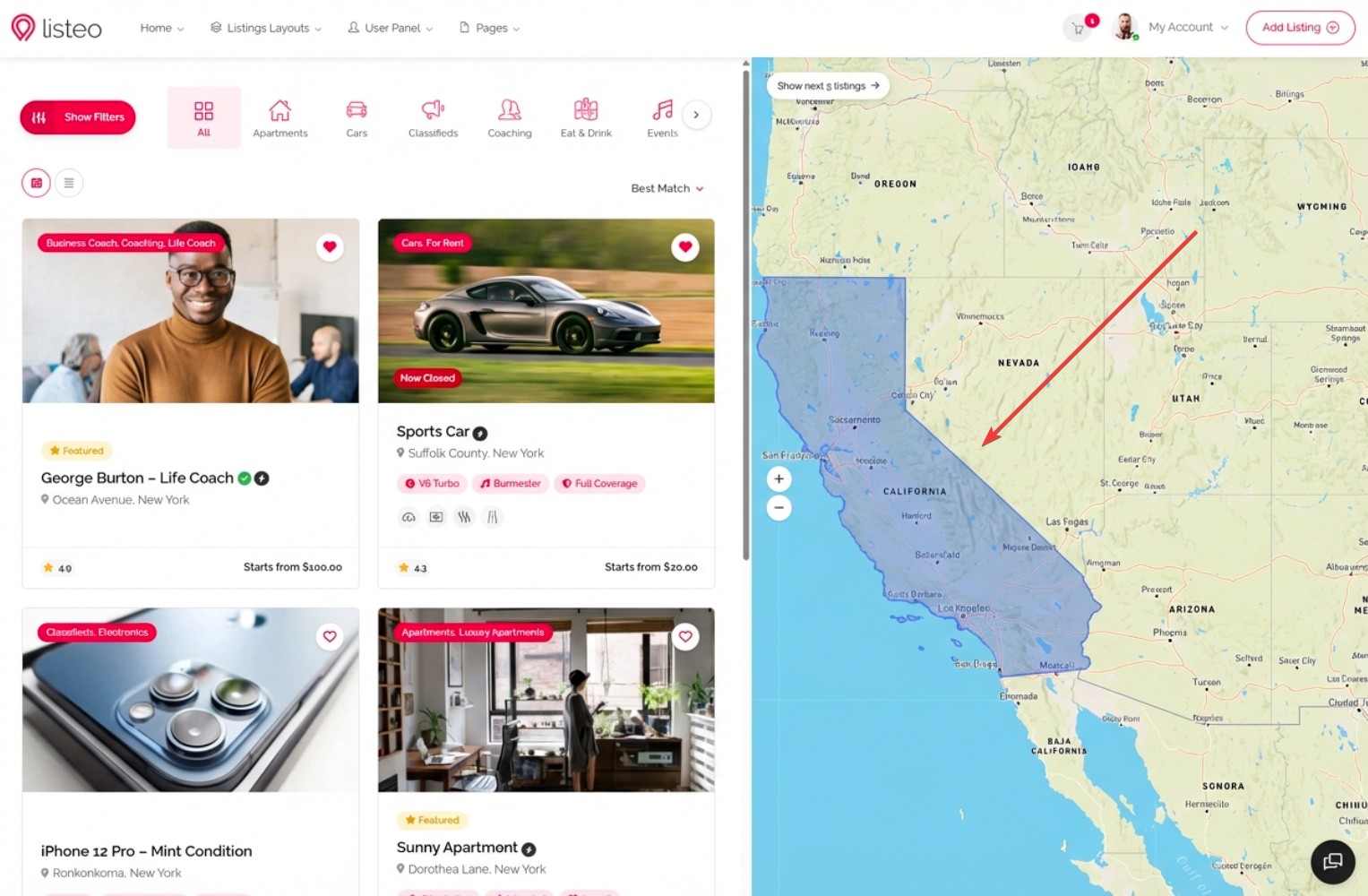
If someone types a location in the search field, the geocoding service (Google Places API or OpenStreetMap Nominatim) returns not only the center coordinates but also a viewport – a rectangular bounding box that naturally represents the entire searched area.
When viewport search is enabled, Listeo uses these bounding box coordinates to find all listings within that rectangular area. For example:
- Searching “California” returns all listings in the entire state
- Searching “Brazil” returns all listings across the country
- Searching “Europe” returns all listings on the continent
This works perfectly for large geographic areas where a circular radius search would be impractical.
Benefits:
- No radius selection needed for large areas – the natural bounds from the geocoding service are used automatically
- Faster database queries – simple coordinate range comparison instead of complex trigonometric calculations
- Better user experience – searching “Brazil” returns results from the entire country, not just a 50km radius from the center point
- Works with both Google Maps and OpenStreetMap – viewport data is included in both APIs at no extra cost
How to enable?
Viewport search uses the same geocoding API you’re already using for location search – there are no additional API costs. The viewport/bounding box data is already included in every geocoding response.
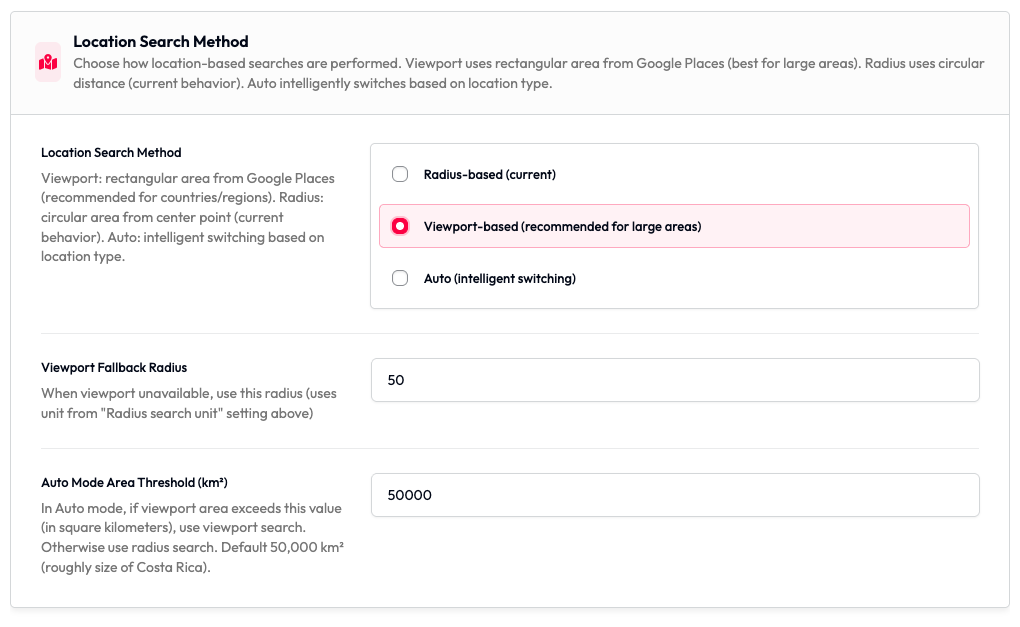
- Navigate to Listeo Core → Settings → Maps in your WordPress admin panel
- Find the “Location Search Method” setting
- Choose one of three modes:
– Radius-based (current) – Traditional circular search using selected radius (default)
– Viewport-based (recommended for large areas) – Uses rectangular bounding box from geocoding service
– Auto (intelligent switching) – Automatically uses viewport for large areas (countries/regions) and radius for cities - Configure optional settings:
– Viewport Fallback Radius – When viewport data is unavailable (rare), use this radius value (default: 50)
– Auto Mode Area Threshold – In Auto mode, if the viewport area exceeds this value in km², use viewport search (default: 50,000 km²)
Technical Details
Performance Comparison
| Metric | Radius Search | Viewport Search |
|---|---|---|
| Database Query | Haversine formula (trigonometry) | Simple BETWEEN comparison |
| Query Speed (10k listings) | 2-3 seconds | 0.3-0.5 seconds |
| Indexable | ❌ No | ✅ Yes |
| Large Area Support | ❌ Poor | ✅ Excellent |
API Costs
No additional costs – Viewport search uses the same geocoding API calls as radius search:
- Google Places API: Same autocomplete session ($0.00283 per search)
- OpenStreetMap Nominatim: FREE (no change)
The viewport/bounding box data is already included in every geocoding response – we’re just using data that was previously ignored.
When to Use Each Mode?
Use Viewport Mode:
- Sites with listings across large geographic areas (states, countries, continents)
- High-traffic sites with many listings (10,000+)
- When users commonly search for broad locations
- To eliminate the radius slider from search forms
Use Radius Mode:
- Sites focused on local/neighborhood search
- “Near me” functionality is important
- Users expect circular search areas
- Listings are concentrated in specific cities