Listeo SMS Notification plugins add capabilities to your registration process that can enhance the security and user experience of your application. It also allows you to send notification to users about upcoming bookings, expiring listings or new bookings or reviews.This guide walks you through the steps to configure it.
How to install?
- Go to https://purethemes.net/license/ and download Listeo SMS plugin
You’ll need purchase key: How to find my license key? - Upload listeo-sms.zip in WP Dashboard → Plugin → Add New and install & activate.
How to configure?
- Create a Twilio Account: Go to the Twilio website and sign up for an account if you don’t already have one.
- Verify Your Email and Phone Number: Complete the verification process for your email and phone number.
- Get Twilio API Credentials: Once your account is set up, navigate to the Console Dashboard to find your Account SID and Auth Token. These credentials are required to authenticate API requests.
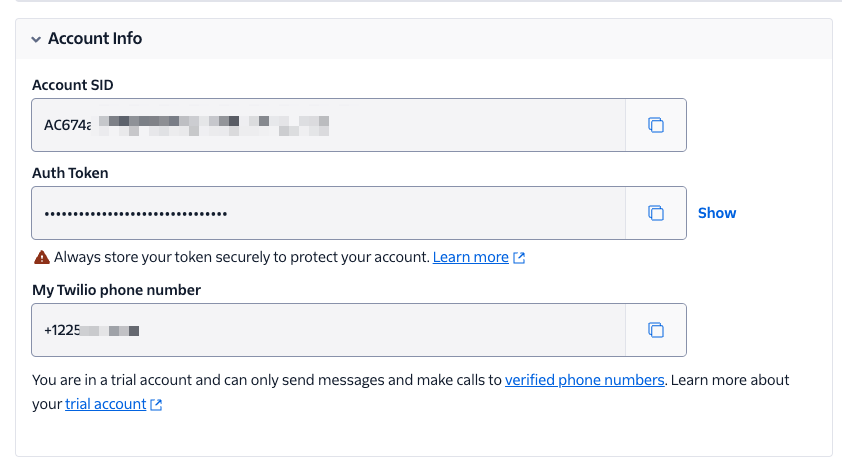
- Copy those information to Listeo Core -> SMS Settings -> Providers, there are settings for Twilio Account SID, Twilio Auth Token and Twilio phone number
- And that’s all, now you can turn on which SMS you want to send and configure their content
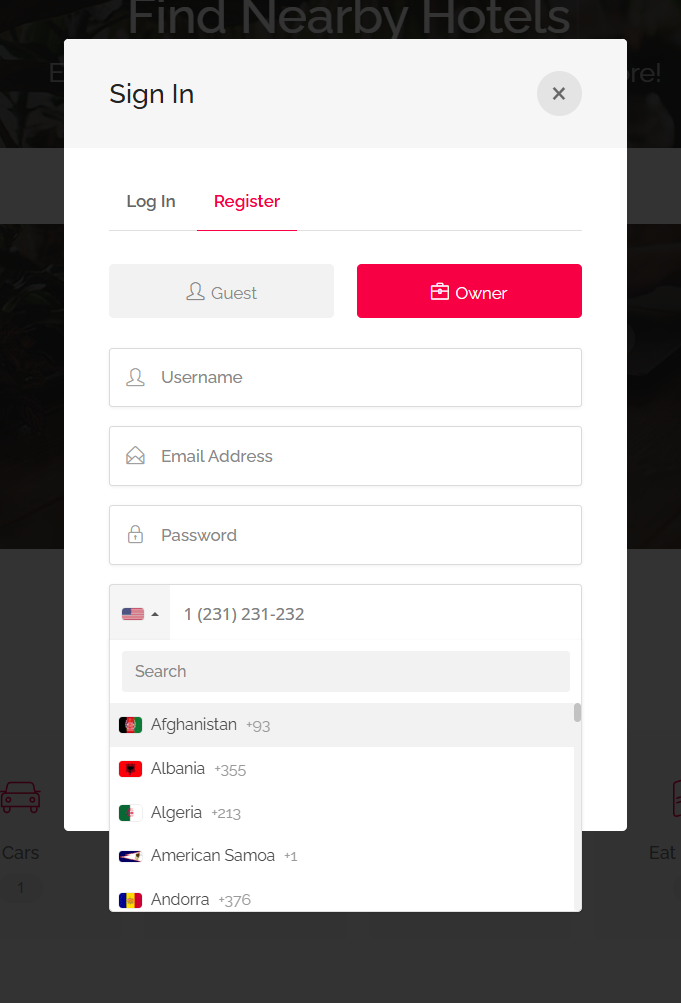
If you want to test it first without actually spending money on Twilio, you can enable Debug Mode in Listeo Core → SMS Settings, with that enabled you will see the messages sent in Listeo Core → View Debug log
To enable debugging mode go to Listeo Health and enable it under “debugging section”.
What notifications are sent?
All notifications listed in this article:
Additional settings for SMS: Listeo Core → SMS Options
| Setting Name | Option/Details |
|---|---|
| SMS Service Configuration | |
| Enable SMS notifications | Activate SMS messaging functionality checkbox |
| SMS Provider | Choose SMS service provider select Options: Twilio |
| API Configuration | |
| Twilio Account SID | Twilio account identifier text |
| Twilio Auth Token | Twilio authentication token password |
| Twilio Phone Number | Your Twilio phone number for sending SMS text |
| OTP & Verification | |
| Enable SMS OTP verification | Require SMS verification for user registration checkbox |
| OTP code length | Number of digits in OTP codes number Range: 4-8 digits Default: 6 |
| OTP expiry time (minutes) | How long OTP codes remain valid number Range: 1-60 minutes Default: 10 |
| SMS OTP message template | Template for OTP SMS messages textarea Available tags: {otp_code}, {site_name}, {expiry_minutes} Default: “Your verification code is: {otp_code}. Valid for {expiry_minutes} minutes.” |
| SMS Notifications | |
| Send SMS for new bookings | Notify listing owners via SMS for new bookings checkbox |
| Send SMS for booking confirmations | Send SMS confirmations to users after booking checkbox |
| Send SMS for booking cancellations | Notify about booking cancellations via SMS checkbox |
| Send SMS for booking status changes | SMS notifications for booking status updates checkbox |
| New booking SMS template | SMS template for new booking notifications textarea Available tags: {listing_title}, {user_name}, {booking_date}, {site_name} |
| Booking confirmation SMS template | SMS template for booking confirmations textarea Available tags: {listing_title}, {booking_date}, {booking_details}, {site_name} |
| Advanced SMS Settings | |
| Default country code | Default country code for phone numbers select Options: All country codes Default: +1 (US) |
| SMS rate limiting | Limit SMS sending frequency checkbox |
| Maximum SMS per hour | Maximum SMS messages per hour per user number Range: 1-100 Default: 10 |
| Log SMS messages | Keep logs of sent SMS messages checkbox Default: ON |
| SMS log retention (days) | How long to keep SMS logs number Range: 1-365 days Default: 30 |