
Before PurioChat can answer questions or power smart search, it needs to learn your content. This page covers which content types you can train, which are free versus Pro, and exactly what each one pulls in.
Where you choose content types
Open PurioChat → Data Training. Under Content Sources, each available content type gets a card with an on/off toggle and a live item-count badge. Turn on the types you want, then run Start Training to generate the embeddings. Use a card’s Manual selection link to train a specific subset instead of everything of that type.
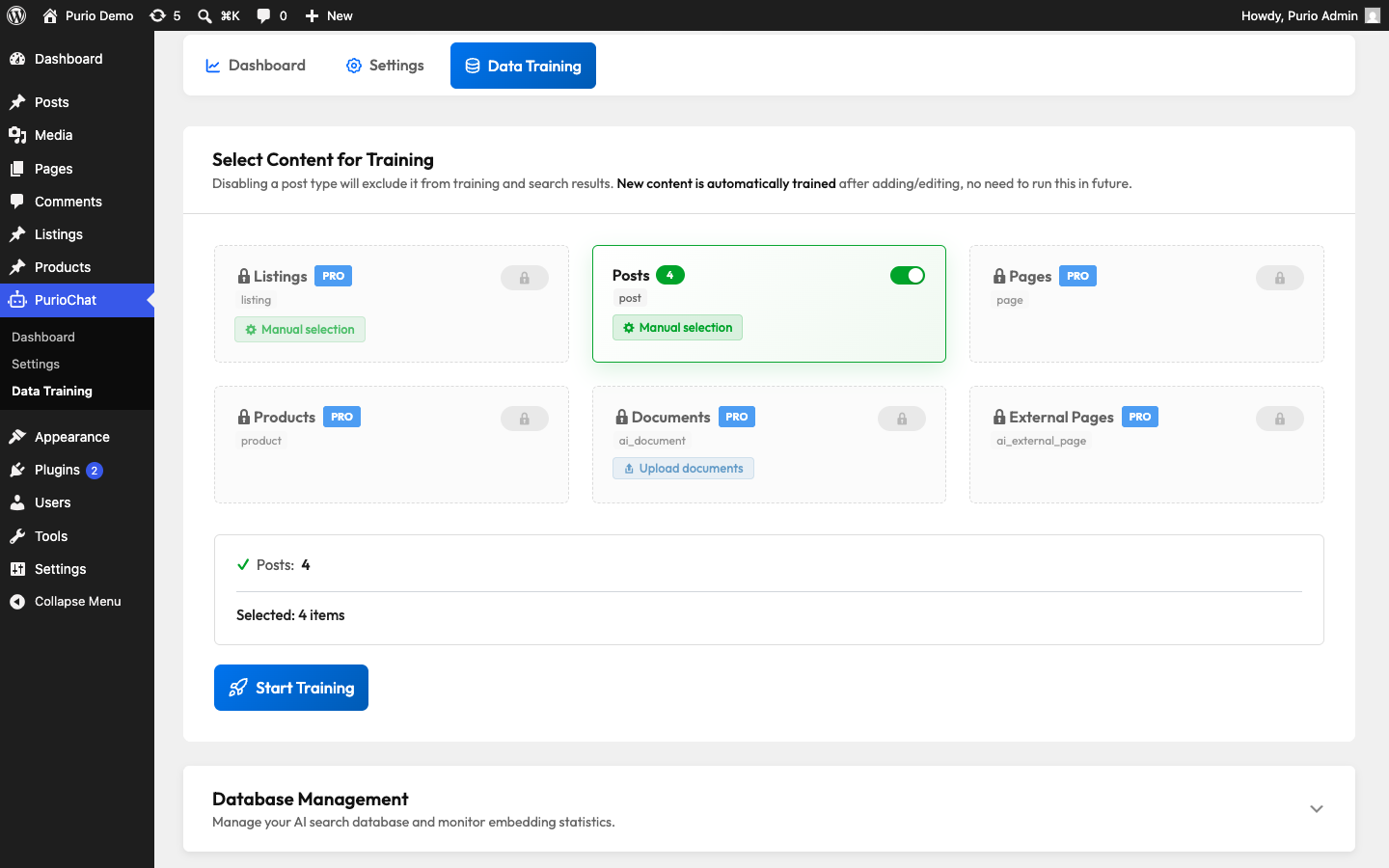
Free content types
Posts (any theme)
Free on any WordPress theme. Training posts indexes the title, full content, excerpt, categories, tags, author, the featured image’s alt text, and any auto-detected custom fields.
Each post is stored with up to about 8,000 characters per item. Posts over roughly 7,000 characters are split into smaller chunks so nothing is lost and search stays accurate.
Listings (Listeo theme)
Also free, but this card only appears when the Listeo theme is active (it’s tied to Listeo’s listing post type). With listings trained, the chatbot can recommend and compare them. Custom listing fields are handled automatically through Listeo, so there’s no manual field setup. Like products, each listing is stored as a single entry capped at about 8,000 characters and is not split into chunks.
Pro content types
Pages (Pro)
A dedicated Pro extractor indexes the title, content, and excerpt, plus extra context: the parent-page hierarchy, the featured image’s alt text, the page template, and selected custom fields. It’s page-builder aware: content built with Elementor, WPBakery, Divi and similar builders is read from the rendered output rather than raw shortcodes, so the AI sees what visitors actually read. Long pages are chunked like long posts.
WooCommerce Products (Pro)
This card appears when WooCommerce is active and unlocks with Pro. The product extractor is built for shopping queries and indexes far more than the basics:
- SKU (placed first so it’s highly searchable) plus EAN / GTIN / UPC / ISBN / MPN / barcode read from the common barcode-plugin fields — great for “do you have product number 12345?” questions.
- Product name and product type.
- Pricing (regular price, and sale price when on offer).
- Categories, tags, and attributes.
- Variations — up to 30 variations with their individual SKU, attributes, and price.
- Stock availability (in stock / out of stock).
- Selected custom fields, the featured image’s alt text, and the short and full descriptions.
Each product is stored as one entry capped at about 8,000 characters (products are not chunked), so descriptions go last and may be trimmed first on very long products.
Custom Post Types (Pro)
With Pro you can train any custom post type registered on your site — events, recipes, team members, knowledge-base entries, and so on. Detected custom post types appear under a collapsible list in Data Training, where you can add them as training sources.
Other Pro training sources
Beyond your published WordPress content, Pro adds two more ways to teach the AI:
- Documents (Pro) — upload PDF, TXT, Markdown, XML, or CSV files to train on content that isn’t published on your site. See Training Documents (PDF, TXT, Markdown, CSV).
- External Pages (Pro) — paste URLs to fetch and index content from other websites. See Training External Pages from URLs.
Quick reference
| Content type | Plan | Notes |
|---|---|---|
| Posts | Free | Any theme |
| Listings | Free | Requires the Listeo theme |
| Pages | Pro | Page-builder aware extractor |
| WooCommerce Products | Pro | Requires WooCommerce |
| Custom Post Types | Pro | Uses the default extractor |
| Documents | Pro | Uploaded files |
| External Pages | Pro | Fetched from URLs |