
PurioChat doesn’t charge you for the AI itself. You bring your own API key from a provider like OpenAI, Google Gemini, or Mistral, and you pay that provider directly for the usage your chatbot generates. Here’s what that costs and how to keep it low.
You pay the provider, not us
When a visitor chats, PurioChat sends the request to your configured AI provider using your own API key. The provider meters the usage and bills you. PurioChat never sits in the middle, so there are no per-message fees, no markup, and no monthly platform cost from us for AI traffic.
For a typical site, this is cheap. Models are billed per token (roughly, per word), and a single conversation costs a fraction of a cent. Here’s what 1,000 conversations a month look like.
Real cost example: 1,000 messages a month
These figures assume an average conversation of about 2,000 input tokens plus 300 output tokens. Your numbers will vary with how chatty your visitors are and how much content the AI reads, but the ranking between models holds up.
| Provider | Model | Input cost | Output cost | Monthly total |
|---|---|---|---|---|
| Mistral | Mistral Small 4 | $0.20 | $0.09 | $0.29 |
| OpenAI | GPT-5.4 Mini | $0.50 | $0.60 | $1.10 |
| Mistral | Mistral Medium 3.1 | $0.80 | $0.60 | $1.40 |
| Mistral | Mistral Large 3 | $1.00 | $0.45 | $1.45 |
| Gemini | Gemini 3 Flash | $1.00 | $0.90 | $1.90 |
| Gemini | Gemini 3.1 Pro | $2.00 | $1.80 | $3.80 |
| OpenAI | GPT-5.4 | $3.50 | $4.20 | $7.70 |
The cheapest option is Mistral Small 4 at about $0.29 a month for 1,000 conversations. Even the most capable models here stay under $8 a month at that volume.
Prepaid vs. pay-after-the-cycle billing
How you’re billed differs by provider, which affects how much a busy month can surprise you.
- OpenAI is prepaid. You add credit up front (a minimum balance is required), and usage draws it down. When the balance runs out, the chatbot stops calling the AI instead of running up a bill, so it’s the safest choice for a hard spending cap. OpenRouter works the same way.
- Gemini and Mistral bill after the cycle. You use the AI during the month and pay afterward. That’s convenient, but a sudden traffic spike, or abuse, can produce a bigger bill than you expected.
How to keep your costs down
PurioChat gives you several built-in controls. Used together, they keep your AI bill predictable without hurting the visitor experience.
Set rate limits
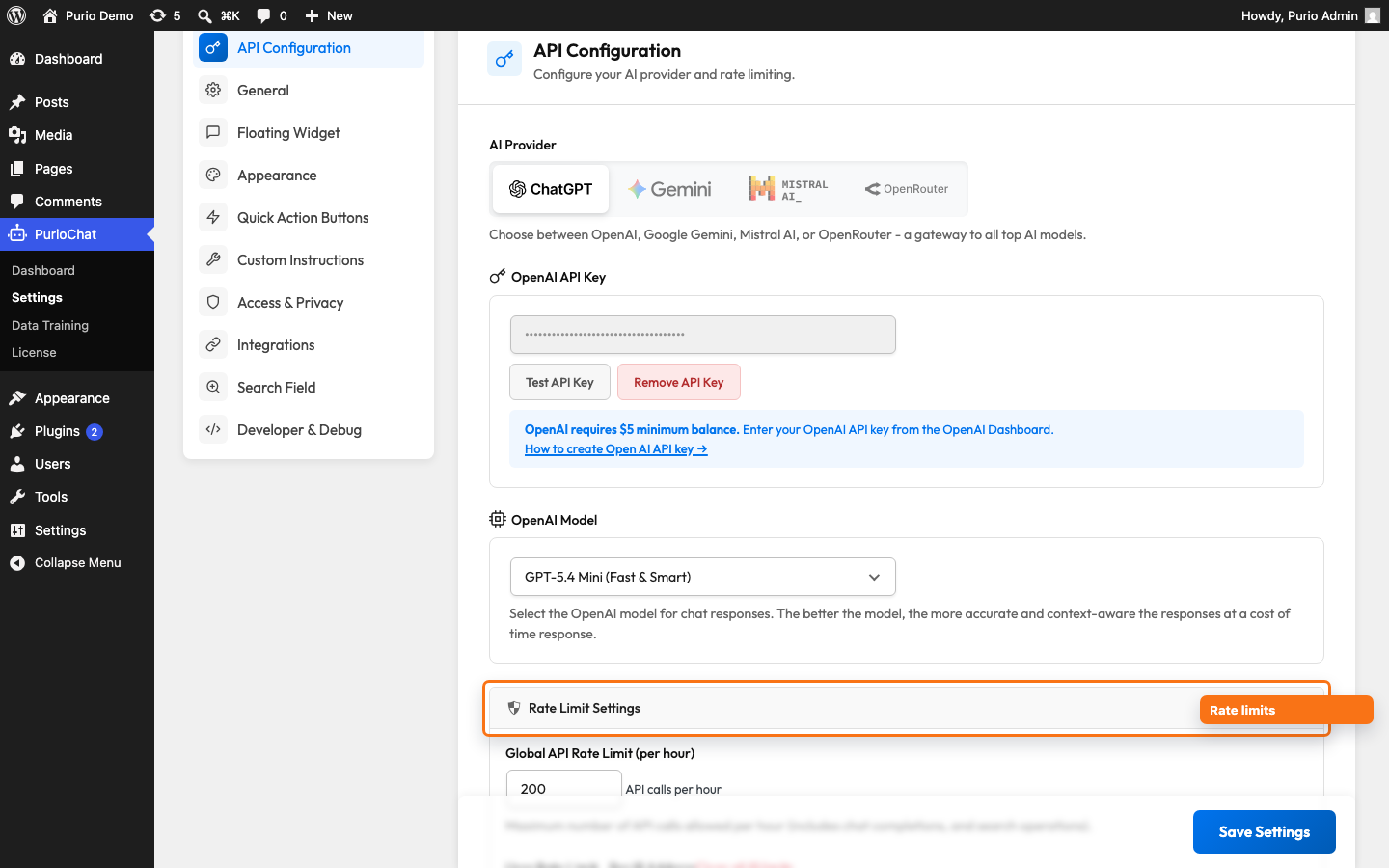
Rate limits are your safety net against runaway usage and abuse. Under PurioChat → Settings → API Configuration → Rate Limit Settings you’ll find:
- A global API limit per hour for the whole site. The field shows
1000when it hasn’t been set, but new installs actually start at 200. Adjust it to taste; the allowed range is 100–10,000. - Per-IP limits so no single visitor can hammer the AI: 10 per minute, 30 per 15 minutes, and 100 per day by default.
To reset things during testing, use the Clear all IP limits link in the same panel.
Pick a cheaper model
The biggest lever on cost is which model you run. As the table shows, the gap between the cheapest and most capable model is more than 25x. Under PurioChat → Settings → API Configuration → Model you can switch to a lighter model such as Mistral Small 4, OpenAI’s GPT-5.4 Nano (labelled “Fastest & Cheapest”), or a Flash-tier Gemini model. For most support and product questions, these answer perfectly well.
Limit how many sources the AI reads
Every piece of trained content PurioChat sends to the AI adds to the input tokens you pay for. The Number of Content Sources to Send to the AI setting controls this. Lowering it from the default of 5 toward the minimum of 2 means fewer tokens per answer, which is faster and cheaper. Find it under PurioChat → Settings → Custom Instructions → Additional Settings (range 2–10; 5 is the balanced recommendation and 3 is the faster, cheaper option).
Shorten the conversation memory
The more conversation history PurioChat re-sends with each new message, the more input tokens you pay for. The Conversation Context Length setting (same Additional Settings panel) lets you choose Short, Normal, or Long. The default is Normal; Short keeps roughly the last few user messages in memory and costs the least.