PurioChat is free, and a Pro license adds more content types plus advanced features. Here’s exactly what you get at each level, so you can decide whether Pro is worth it.
What’s in the free version
The free plugin is a complete AI search and chatbot. With it you can:
- Run unlimited AI chat conversations through a chat shortcode (
[ai_chat]) and a floating chat widget that’s enabled by default on new installs. - Train your blog posts (works on any theme) and Listeo listings (when the Listeo theme is active) so the AI can answer from your real content.
- Offer AI-powered semantic search with the universal search field (
[ai_search_field]), including a Minimum Match Percentage quality filter and a “Best Match” badge. - Choose your AI provider — OpenAI, Google Gemini, Mistral, or OpenRouter — and pick the model and embedding model.
- See search analytics in the Dashboard’s “Popular Search Queries” card (tracking is on by default), with 7-day and 30-day totals and CSV export.
- Customize the chat name, welcome message, avatar, colors, color scheme, and floating-widget layout (position, size, offsets, header style, and which pages to hide it on).
- Control access with Require Login and a Terms of Use notice, and protect your site with per-IP and global rate limits.
- Force a response language (or let the AI auto-detect), and install the chat interface in any of 66 WordPress locales.
- Send contact messages from chat — the contact-form email settings (recipient, subject, test email) are free; only letting the AI itself send emails is Pro.
What Pro adds
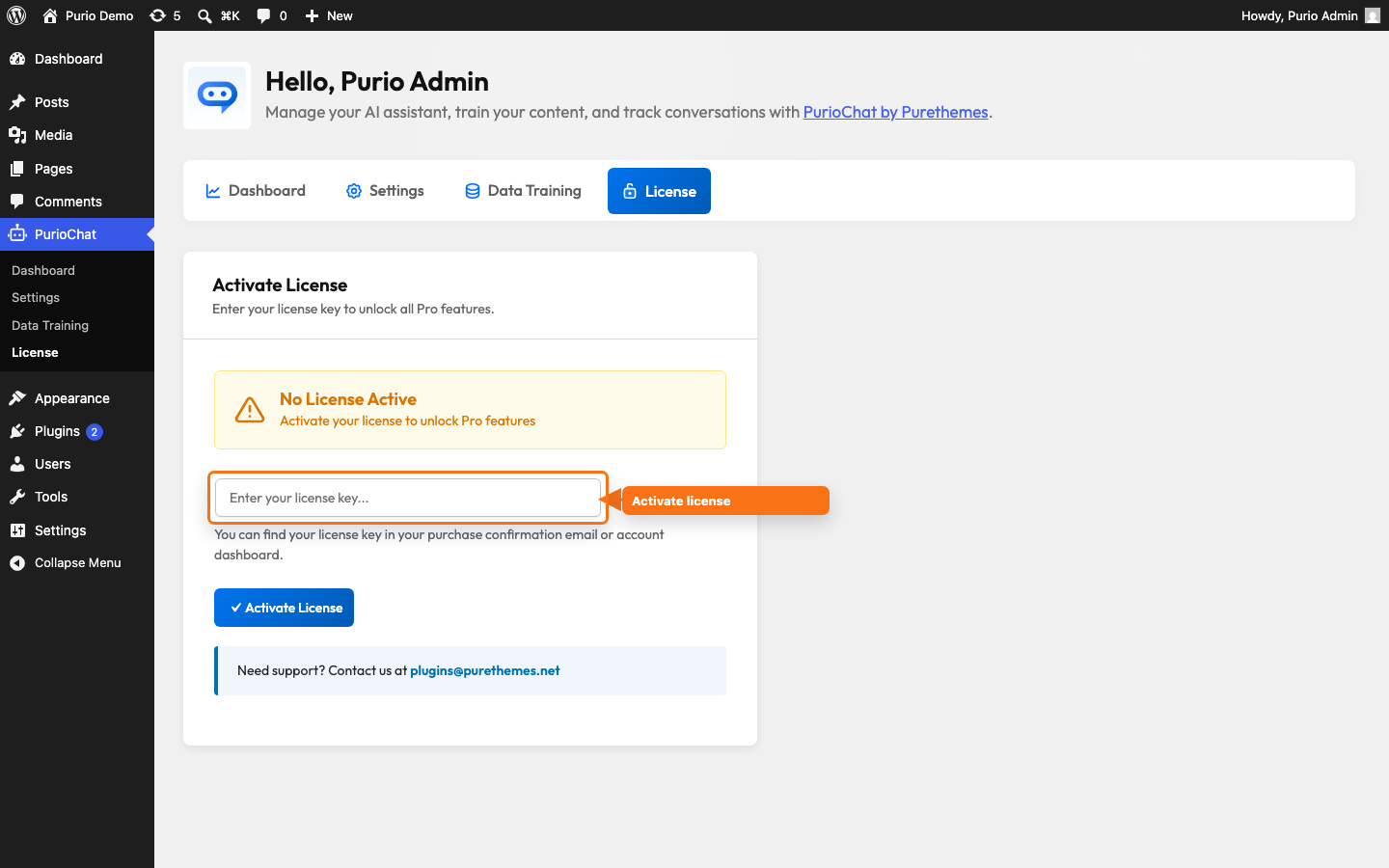
Pro covers two things: more content types to train on, and advanced features for the chatbot. Activating a license on the PurioChat → License tab unlocks both lists.
Additional content types (Pro)
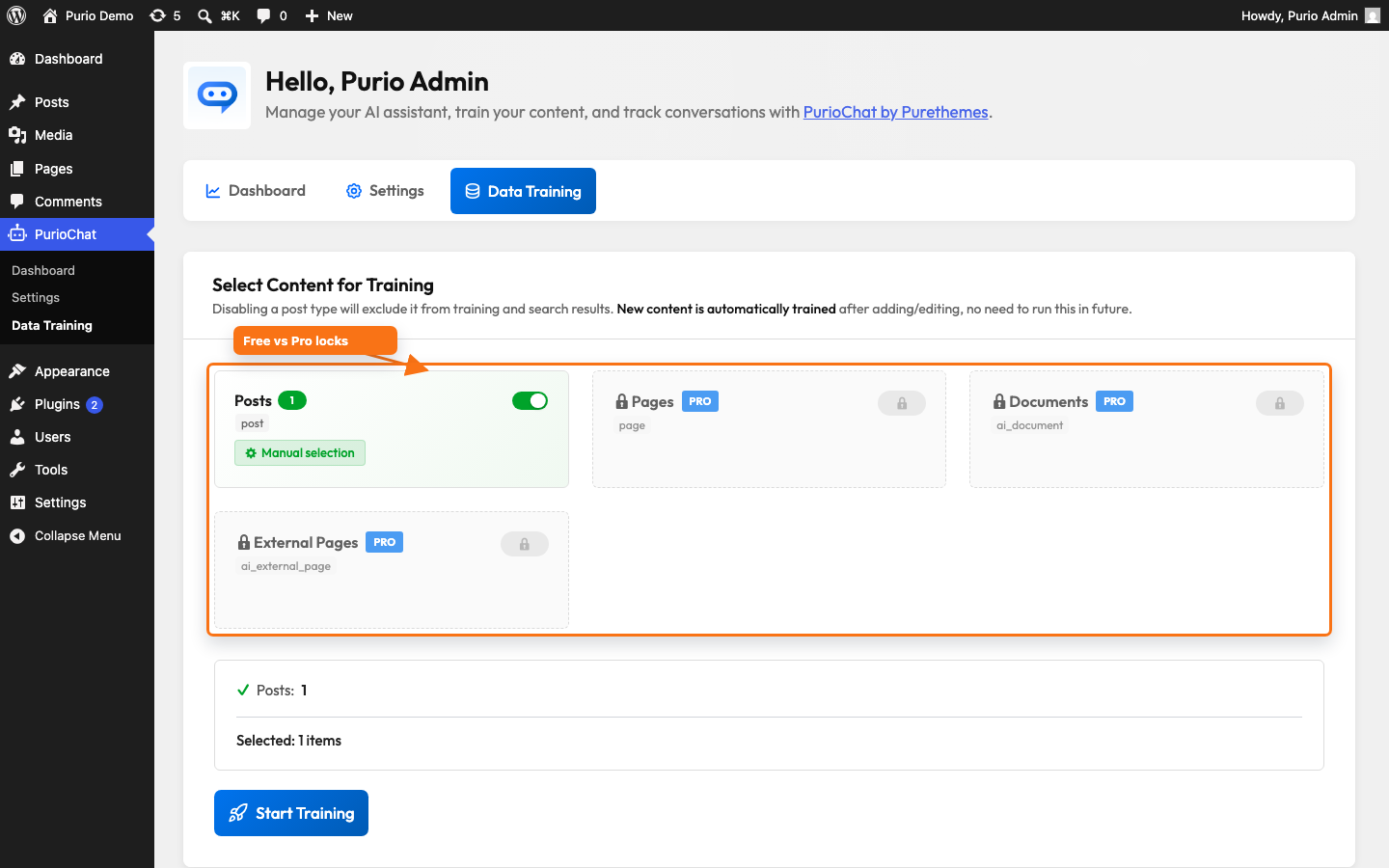
- Pages — train any WordPress page, with page-builder-aware extraction (Elementor, WPBakery, Divi, and ACF blocks).
- WooCommerce products — rich product training that also indexes SKU and EAN/GTIN/UPC/barcode, plus product search filters in chat.
- Custom post types — add your own post types as training sources (using the default extractor).
- Documents — upload PDF, TXT, MD, XML, and CSV files (up to 50 MB each) to train the AI on content that isn’t published on your site.
- External pages — paste up to 20 URLs at a time; PurioChat fetches, cleans, and embeds the main content for you.
These appear as cards on the PurioChat → Data Training tab; in the free build they show an “Upgrade to Pro” lock.
Advanced features (Pro)
- Image input (vision) — visitors can attach a photo for the AI to analyze.
- Voice input (speech-to-text) — a microphone button transcribes spoken questions using your configured provider.
- Quick Action Buttons (full configuration) — the enable toggle is free, but adding/editing buttons, per-button colors, button types (including the Contact Form type), and visibility require Pro.
- AI email forwarding (lead capture) — let the AI send you a visitor’s message after collecting their name, email, and explicit confirmation.
- Extended system prompt — the Custom System Prompt is locked in the free build and unlocks up to 6000 characters with Pro.
- Hints for AI — route specific topics to specific pages or documents.
- Pre-Chat Form — collect required details (name, email, etc.) before the chat begins.
- Block IP addresses — hide the chat from individual IPs or CIDR ranges (IPv4 and IPv6).
- Whitelabel — remove the “Powered by PurioChat” badge.
- Full conversation logs — saved chat history with search, CSV export, an activity chart, and AI-powered Chat Insights (summaries, sentiment, data gaps). On free, conversations are not saved or viewable.
- WooCommerce order status checking and an in-chat cart — visitors can check order status (with billing-email verification) and add products to their cart from the chat.
- Automation & messaging integrations — Webhook Automation (n8n, Zapier, Make), WhatsApp (via Twilio), and Telegram, all under PurioChat → Settings → Integrations.
At a glance
| Capability | Free | Pro |
|---|---|---|
| AI chat (widget + shortcode) | Yes | Yes |
| Semantic search field | Yes | Yes |
| Providers (OpenAI, Gemini, Mistral, OpenRouter) | Yes | Yes |
| Search analytics | Yes | Yes |
| Train posts (any theme) | Yes | Yes |
| Train Listeo listings | Yes (Listeo theme) | Yes (Listeo theme) |
| Train pages, products, custom post types, documents, external pages | — | Yes |
| Image & voice input | — | Yes |
| Quick Action Buttons configuration | Enable toggle only | Full config |
| Custom system prompt | Locked | Up to 6000 chars |
| Full conversation logs + CSV + Chat Insights | — | Yes |
| AI email forwarding (lead capture) | — | Yes |
| Pre-Chat Form & IP blocking | — | Yes |
| WooCommerce order status & cart | — | Yes |
| Webhook / WhatsApp / Telegram integrations | — | Yes |
| Whitelabel (remove badge) | — | Yes |
Upgrading to Pro
Pro is an add-on that runs alongside the free base plugin—keep both installed and active. After purchase you’ll get a download link and a license key. Install the Pro plugin, enter your key on PurioChat → License, and click Activate License. See the PurioChat website for pricing and plans.