
To search your site by meaning, PurioChat converts each piece of content into a list of numbers called a vector. The embedding model does that conversion. This guide covers the models available for each provider, what the dimension numbers mean, and why switching models means retraining.
What the embedding model does
When you train your content, PurioChat sends each post, listing, page or document to your provider’s embedding model and stores the resulting vector. When a visitor searches or chats, their question becomes a vector too, and PurioChat finds the closest matches. This is what makes semantic search possible, so your choice of model directly affects how well matches are found.
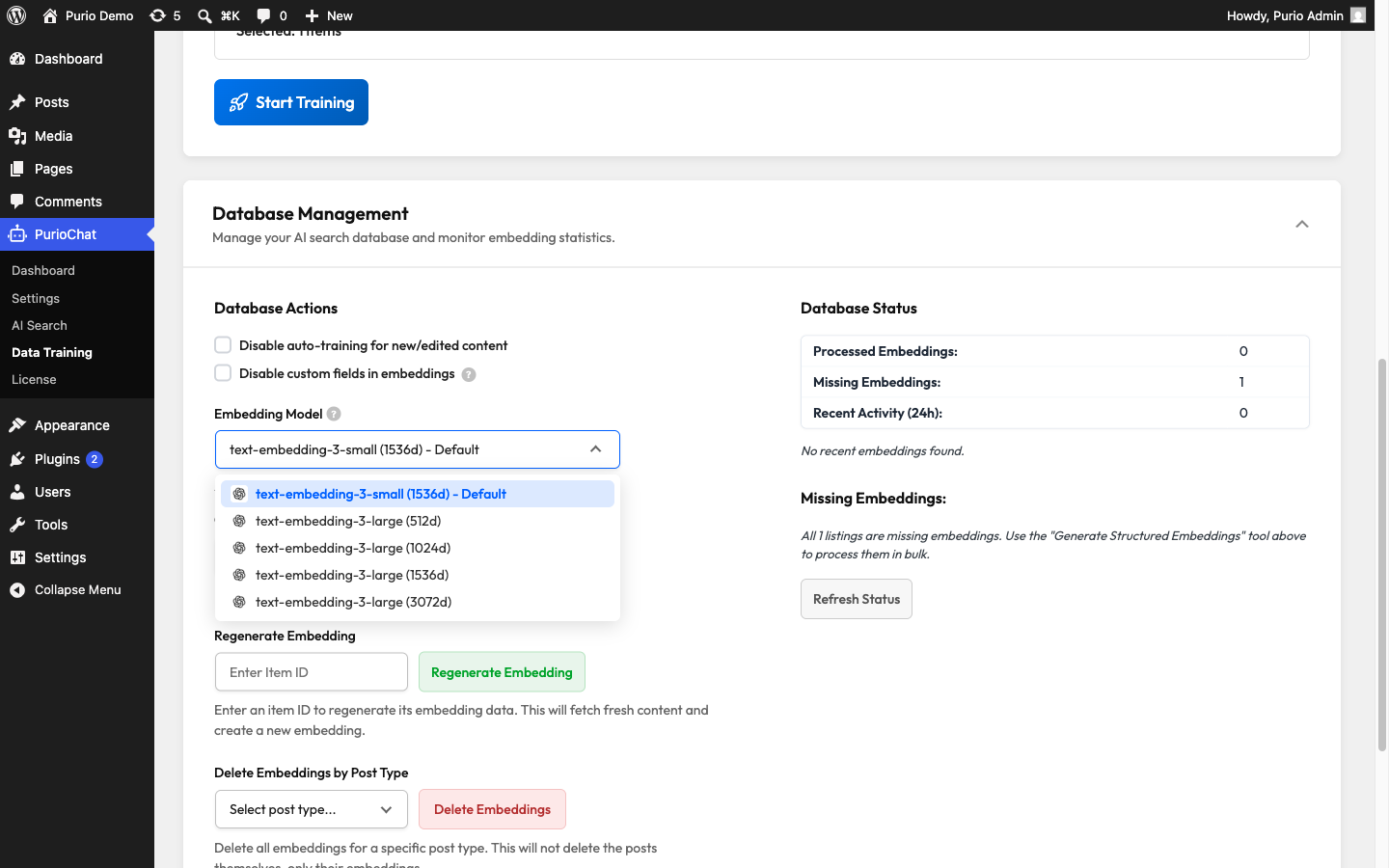
You’ll find the setting at PurioChat → Data Training → Database Management → Embedding Model. It’s a Free feature, and the available models depend on which AI provider you’ve selected. Leave it untouched and PurioChat uses your provider’s default.
Dimensions: nuance vs. speed
Each model produces vectors of a certain length, measured in dimensions. The trade-off:
- Higher dimensions (for example 3072) capture more nuance and tend to be more accurate, but take more storage and make searches a little slower.
- Lower dimensions (for example 512 or 768) make searches faster and lighter, with slightly reduced precision.
For most sites, your provider’s default model is the right choice. It’s balanced, and you don’t need to change it without a specific reason.
Available models by provider
The dropdown shows only the models for your selected provider. Here’s the full list.
OpenAI
| Model | Dimensions |
|---|---|
text-embedding-3-small (default) |
1536d |
text-embedding-3-large |
512d / 1024d / 1536d / 3072d |
Google Gemini
| Model | Dimensions |
|---|---|
gemini-embedding-001 (default) |
1536d |
gemini-embedding-2 |
768d / 1024d / 1536d / 3072d |
Mistral AI
| Model | Dimensions |
|---|---|
mistral-embed (the only option) |
1024d |
OpenRouter
| Model | Dimensions |
|---|---|
openai/text-embedding-3-small (default) |
1536d |
openai/text-embedding-3-large |
512d / 1024d / 1536d / 3072d |
google/gemini-embedding-2-preview |
768d / 1536d / 3072d |
Changing the model means retraining
This is the most important thing to know. Vectors from one model aren’t compatible with another, because the dimensions and number format differ. The moment you change the embedding model, every stored vector becomes invalid and search results degrade until you regenerate them.
So the workflow is always two steps:
- Save your new embedding model selection.
- Go to PurioChat → Data Training and retrain all content with the new model.
When you change the setting, PurioChat shows an on-screen notice: “Embedding model changed. Save, then go to Data Training to retrain all content.”