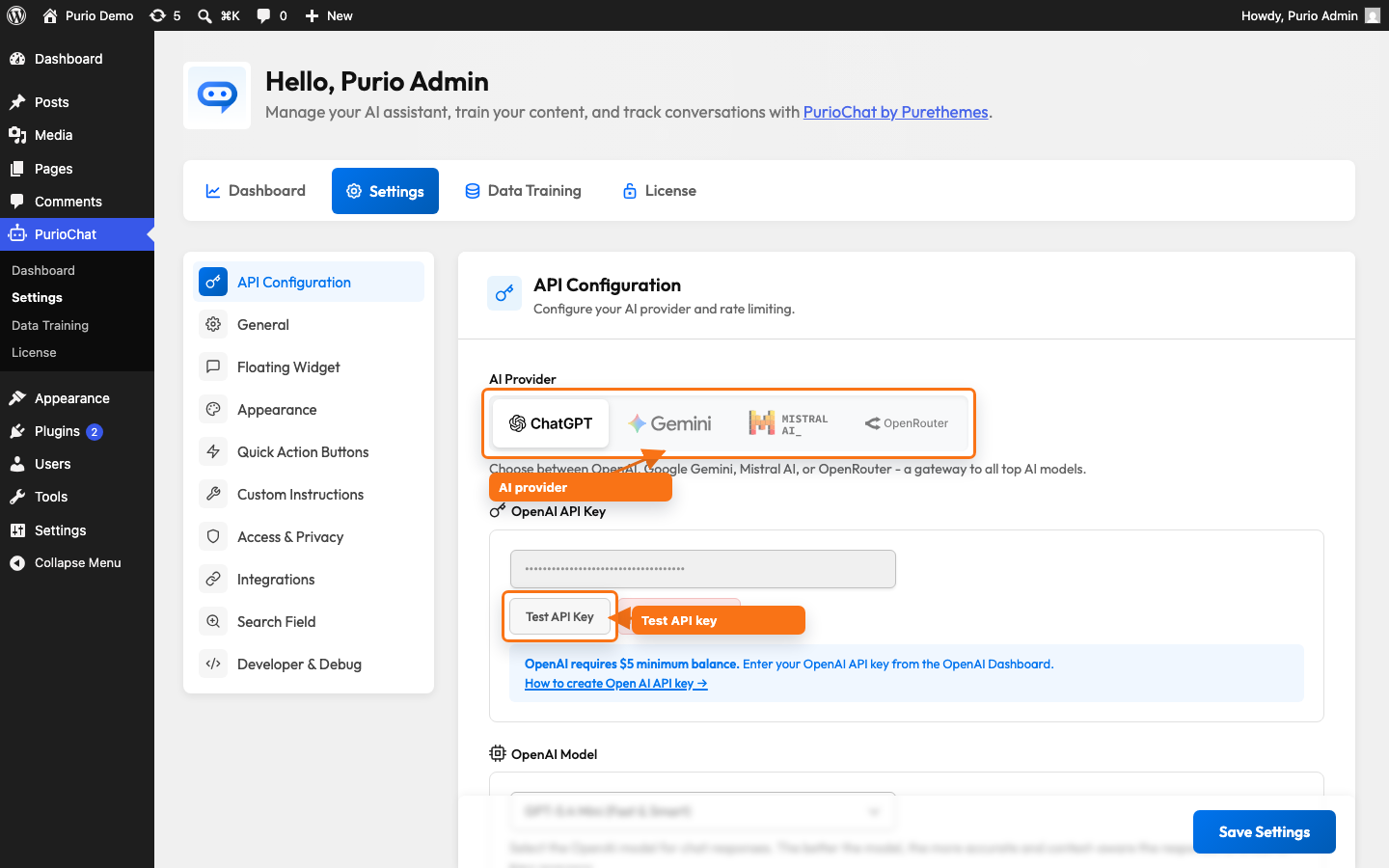
API Configuration connects PurioChat to an AI service. The provider you choose here generates your chatbot’s answers and creates the embeddings behind semantic search. Find it under PurioChat → Settings → API Configuration.
Choosing an AI provider
PurioChat supports four providers, all free to use. You only need an account with one. Pick a provider from the toggle at the top of the page, then add its API key below.
| Provider | Good to know |
|---|---|
| OpenAI (default) | Reliable, high-quality responses. Requires billing (about a $5 minimum balance). |
| Google Gemini | Good quality with a free tier — but the UI warns that free-tier rate limits are very low, so enable billing for production. |
| Mistral AI | Data hosted in the European Union, which is helpful for GDPR-conscious sites. |
| OpenRouter | One key and one balance for dozens of models from OpenAI, Anthropic, Google, Mistral, DeepSeek, xAI and more. Requires about a $5 minimum balance. |
OpenAI is the default provider.
Adding and testing your API key
Each provider has its own key field, and PurioChat shows only the field for your selected provider. Paste your key, save, and click Test API Key — PurioChat makes a live call so you know the key works before you train content or go live. Saved keys are masked as asterisks and never shown back to you; click Remove API Key to clear one.
| Provider | Key field | Key looks like |
|---|---|---|
| OpenAI | sk-... |
|
| Google Gemini | AIzaSy... |
|
| Mistral AI | 32+ characters | |
| OpenRouter | sk-or-v1-... |
Need a key? Each provider has a step-by-step guide — see the related articles at the end.
Choosing a chat model
Below the key field is the Model dropdown. The list matches your provider, so you only see models that work with your key. The default is gpt-5.4-mini — fast and capable enough for most sites. Higher-end models answer complex questions better but cost more and respond a little slower.
OpenAI models
| Model ID | Dropdown label |
|---|---|
gpt-4.1-mini |
GPT-4.1 Mini (Fast & Good) |
gpt-4.1 |
GPT-4.1 (Smart, non-reasoning) |
gpt-5-mini |
GPT-5 Mini (Fast & Good) |
gpt-5-chat-latest |
GPT-5 (Smart) |
gpt-5.1 |
GPT-5.1 (High Intelligence) |
gpt-5.2 |
GPT-5.2 (High Intelligence) |
gpt-5.3-chat-latest |
GPT-5.3 (High Intelligence) |
gpt-5.4 |
GPT-5.4 (High Intelligence – Latest) |
gpt-5.4-mini |
GPT-5.4 Mini (Fast & Smart) — default |
gpt-5.4-nano |
GPT-5.4 Nano (Fastest & Cheapest) |
gpt-5.5 |
GPT-5.5 (Latest) |
Google Gemini models
| Model ID | Dropdown label |
|---|---|
gemini-2.5-flash |
Gemini 2.5 Flash (Fast) |
gemini-2.5-pro |
Gemini 2.5 Pro (High Intelligence & Slow) |
gemini-3.1-pro-preview |
Gemini 3.1 Pro (High Intelligence & Slow) |
gemini-3-flash-preview |
Gemini 3 Flash (Intelligent & Fast – Recommended) |
gemini-3.5-flash |
Gemini 3.5 Flash |
gemini-3.1-flash-lite |
Gemini 3.1 Flash Lite (Fastest) |
Mistral models
| Model ID | Dropdown label |
|---|---|
mistral-small-latest |
Mistral Small 4 (Fast) |
mistral-medium-latest |
Mistral Medium 3.1 (Balanced – Recommended) |
mistral-medium-3.5 |
Mistral Medium 3.5 |
mistral-large-latest |
Mistral Large 3 (High Intelligence) |
OpenRouter models
OpenRouter is a single gateway to roughly 34 frontier models across many vendors — one key, one balance, no separate accounts. Pick any model from the dropdown and OpenRouter routes the request to the right upstream provider.
| Vendor | Models in the dropdown |
|---|---|
| OpenAI | GPT-5 Mini, GPT-5.1, GPT-5.3, GPT-5.4, GPT-5.4 Mini, GPT-5.4 Nano, GPT-5.5, GPT-4.1, GPT-4.1 Mini |
| Anthropic | Claude Sonnet 4.6, Claude Opus 4.6, Claude Haiku 4.5 |
| Gemini 3.1 Pro, Gemini 3 Flash, Gemini 3.5 Flash, Gemini 3.1 Flash Lite, Gemini 2.5 Flash | |
| Meta | Llama 3.3 70B |
| Mistral | Mistral Large 3, Mistral Medium 3.1 |
| DeepSeek | DeepSeek Chat v3, DeepSeek V3.1, DeepSeek V3.2, DeepSeek V4 Pro, DeepSeek V4 Flash |
| Z-AI | GLM 5.1, GLM 5 Turbo |
| Moonshot | Kimi K2.5 |
| Qwen | Qwen 3.5 Flash, Qwen 3.6 Plus |
| MiniMax | MiniMax M2.7 |
| xAI | Grok 4, Grok 4.1 Fast, Grok 4.20 |
The recommended OpenRouter default is openai/gpt-5.4-mini.
The OpenRouter Reasoning toggle
When OpenRouter is your provider, an Enable reasoning checkbox appears next to the Model dropdown (default OFF). It controls whether the routed model may “think” before answering.
- OFF (default): minimum reasoning for fast chat replies. Recommended for most sites.
- ON: each model uses its own thinking level. Better answers for complex questions, but responses can take several seconds longer.
Embedding models and dimensions
Embeddings are the numerical fingerprints PurioChat creates from your content so it can search by meaning. The embedding model lives on a separate screen — PurioChat → Data Training → Database Management → Embedding Model — but it is tied to your provider. Leave it on your provider’s default unless you have a reason to change it.
| Provider | Default embedding model | Dimensions |
|---|---|---|
| OpenAI | text-embedding-3-small |
1536 |
| Google Gemini | gemini-embedding-001 |
1536 |
| Mistral | mistral-embed |
1024 |
| OpenRouter | openai/text-embedding-3-small |
1536 |
OpenAI, Gemini and OpenRouter also offer larger models (such as text-embedding-3-large and gemini-embedding-2) with selectable dimensions — 512, 768, 1024, 1536 or 3072, depending on the model. Mistral offers only mistral-embed.
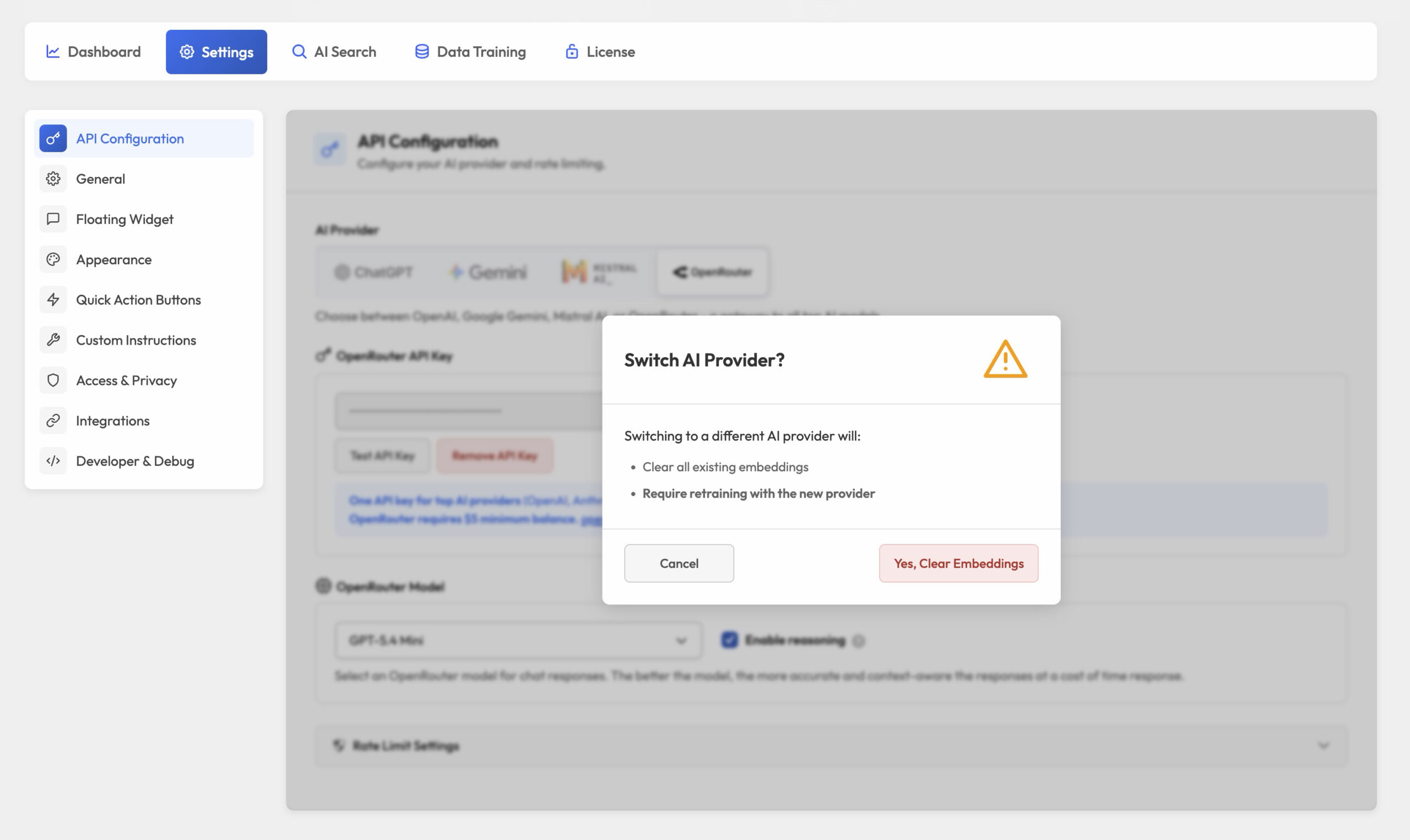
Switching providers
You can change providers any time, but two things happen automatically.
- A default model is selected for you. If your current chat model does not belong to the new provider, PurioChat picks a default: OpenAI →
gpt-5.4-mini, Gemini →gemini-3-flash-preview, Mistral →mistral-large-latest, OpenRouter →openai/gpt-5.4-mini. You can pick a different model afterwards. - Your embeddings are cleared. Providers use different embedding formats and dimensions, so vectors from your old provider are not compatible. PurioChat shows a confirmation modal, then asks you to retrain your content under Data Training.