
Sometimes the answer your visitors need lives on a page you don’t control, like a supplier’s spec sheet, a partner’s help center, or a public documentation site. With External Pages, you point PurioChat at those URLs and it pulls in the content so the AI can answer questions from them too.
How it works
You paste in one or more web addresses. PurioChat fetches each page, extracts the readable text, and indexes it for semantic search. Unlike documents, external pages are embedded immediately, so there’s no separate “Train Now” step. As soon as a page finishes processing, the AI can use it in answers.
Adding external pages
- Go to PurioChat → Data Training and open the Database Management area.
- Find the External Pages source and click to open the External Pages manager.
- Paste your URLs into the text box, one URL per line.
- Optionally enter a Source Name to label this batch (for example, “Partner Docs”). It helps you spot the pages later in your trained-content list.
- Click Add Pages. PurioChat fetches and indexes each one automatically.
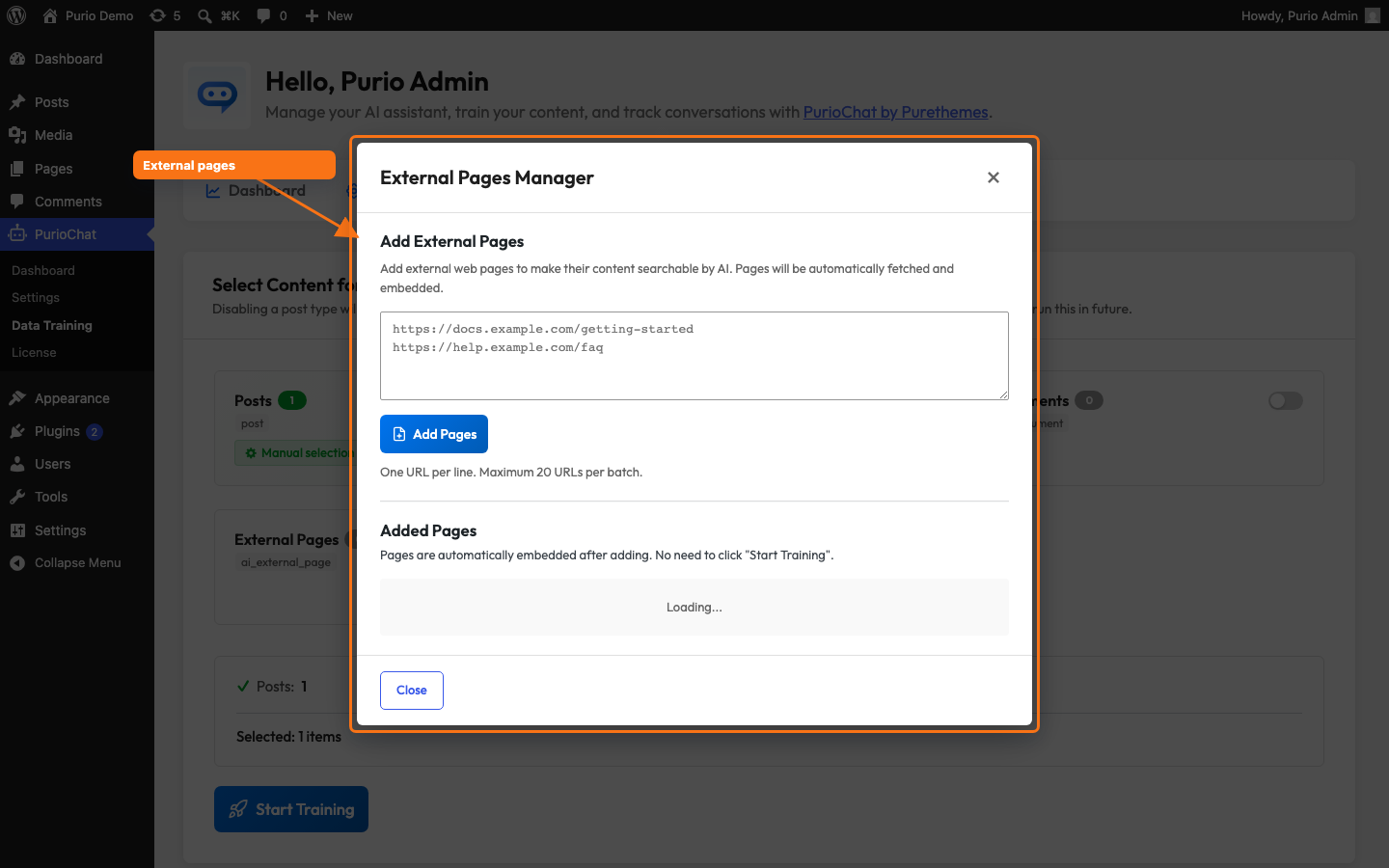
What gets indexed
PurioChat doesn’t dump the whole page into the AI. It finds the main content and ignores the surrounding clutter, so the AI learns the substance, not your menu or cookie banner.
Stripped out before indexing:
- Navigation, headers, footers, and sidebars
- Scripts, styles, and embedded media (video, audio, iframes, images)
- Forms, buttons, and other interactive controls
What remains is the article or body text, which is what your visitors want answers from.
Limits to keep in mind
To keep fetching fast and safe, PurioChat applies two size limits per page:
| Limit | Value | What it means |
|---|---|---|
| Download size | Up to 1 MB | The raw page downloads up to 1 MB. Larger pages are cut off there. |
| Extracted text | Up to 50,000 characters | The extracted main content is truncated to 50,000 characters before indexing. |
For typical articles and documentation pages, these limits are generous. Very long pages may have their tail end trimmed, so for a huge page, add its more focused sub-pages instead.
Why some URLs are blocked
External Pages only fetches public web pages over http or https. As a security measure (SSRF protection), PurioChat refuses addresses that point to your server’s internals or to private networks: localhost, 127.0.0.1, any private or reserved IP range, and hostnames that don’t resolve.
The error “URL not allowed (internal/private)” means the address points somewhere PurioChat won’t reach on purpose. Use a publicly accessible URL instead.
[screenshot=List of added external pages showing their URLs, source names, and indexed status]