
By default, PurioChat trains the AI on the visible parts of your content — titles, body text, excerpts, categories and tags. But a lot of useful information lives in custom fields (post meta): an ACF field, a WooCommerce attribute, a value added by your theme or another plugin. Custom Fields for AI Training adds those fields to what the AI learns, so it can answer questions that depend on them.
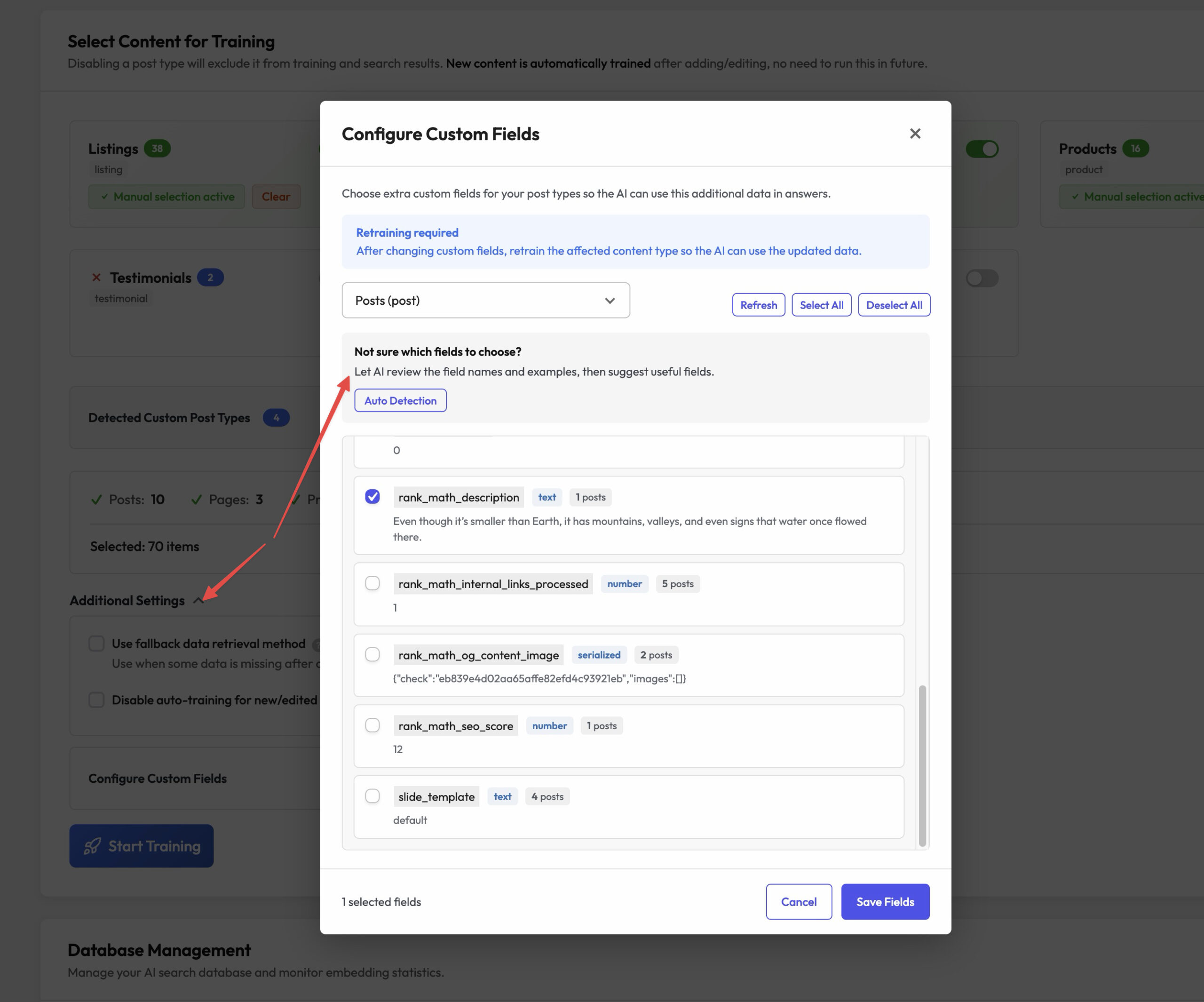
You’ll find this under PurioChat → Data Training, via the Configure Custom Fields button (it opens the Manage Fields modal). Field selections are saved separately for each post type.
Why include custom fields?
The AI can only answer with information it was trained on. If a key detail isn’t in the post body — a product’s material, a property’s square footage stored in ACF, a spec-sheet value — the AI won’t know it. Selecting the right custom fields closes that gap and makes answers more accurate.
The Manage Fields modal
When you open Manage Fields for a post type, PurioChat scans your content and lists the meta fields it finds, with each field’s type, how often it’s used, and a sample value so you can recognize it. Tick the fields you want, then save.
What gets detected
- ACF fields stored as post meta.
- WooCommerce / product meta (Pro, on the product post type).
- Theme and plugin custom fields saved against your posts.
- Serialized, JSON, HTML, text and numeric meta values.
What is not included
- Taxonomy terms — categories, tags and other taxonomies are already trained separately.
- Fields stored in a plugin’s own database tables — anything not saved as standard WordPress post meta can’t be detected.
- Fields that only exist on draft or private posts — detection scans published content.
- Content rendered only on the front end — generated at display time, not stored as meta.
Auto Detection (AI suggestions)
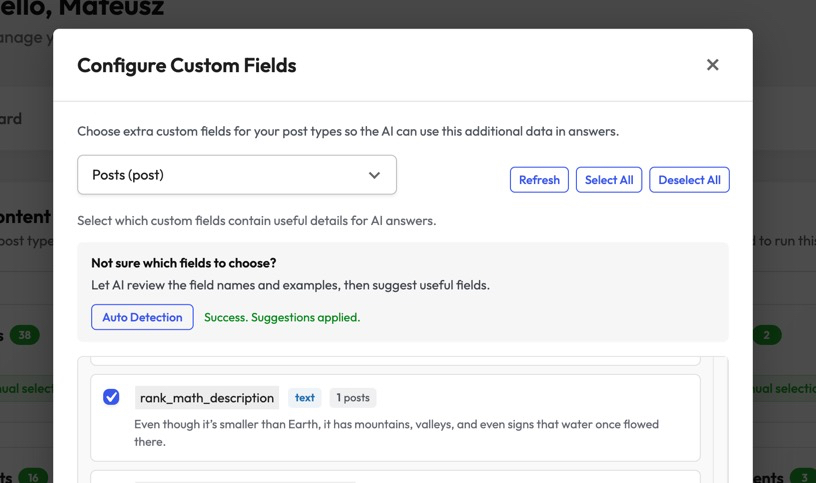
Not sure which fields matter? Use Auto Detection. PurioChat asks the AI to review your detected fields — names, usage, type, and sample values — and suggest the ones most likely to help answer questions. The suggestions are pre-selected.
They’re suggestions, not final decisions: review them, untick anything irrelevant, add anything the AI missed, and save. You stay in control of what the AI is trained on.
Screenshot
Listings are handled automatically
If your site uses the Listeo theme, you don’t need to pick fields for listings — the built-in Listeo integration includes their data automatically. That’s why listings (along with uploaded Documents and External Pages) don’t appear in the Manage Fields modal. Custom-field selection is only for standard post types like Posts, Pages, Products and your own custom post types.
Retrain after changing fields
Changing which custom fields are included does not update already-trained content. After you save, go to PurioChat → Data Training and run Start Training for the affected content type so the new fields are folded into the AI’s context.