
Once you have purchased a license, activating it takes about a minute. This guide covers installing the Pro plugin and entering your license key.
What you receive after purchase
Your confirmation email contains two things:
- A download link for the PurioChat Pro plugin (a
.zipfile). - Your license key — a unique string that unlocks Pro features on your site.
Step 1: Make sure the free base plugin is active
PurioChat Pro is an add-on that builds on the free PurioChat plugin rather than replacing it. The free base plugin must be installed and active for Pro to work. Activate Pro without it and you will see a “required plugins missing or inactive” error.
If you have not set up the free plugin yet, see Installing PurioChat first, then come back here.
Step 2: Install and activate the Pro plugin
You can download pro plugin here using your license key. Install the Pro .zip like any WordPress plugin:
- In your WordPress admin, go to Plugins → Add New Plugin → Upload Plugin.
- Choose the Pro
.zipfile from your purchase email and click Install Now. - Click Activate once the upload finishes.
With both the free base plugin and the Pro plugin active, a new License tab appears in the PurioChat menu.
Step 3: Enter your license key
Go to PurioChat → License. Since no license is active yet, you will see an activation form.
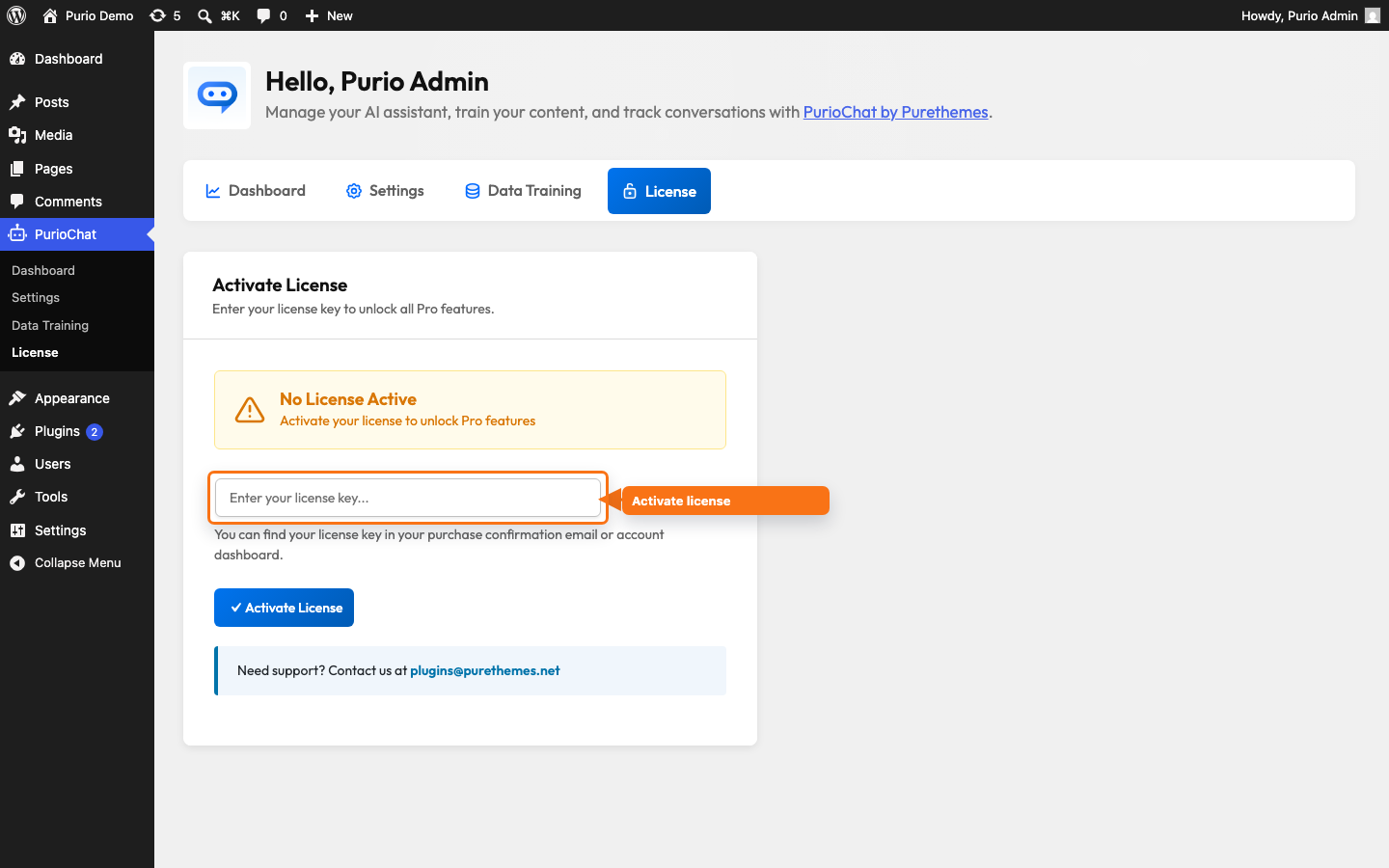
- Paste your license key into the license key field.
- Click Activate License.
The page validates your key and, on success, reloads after a few seconds. The License tab then switches to its active state: a green License Active — All Pro features are unlocked badge, the product name PurioChat Pro, your license key shown masked, and a Last Validated timestamp. From this card you can also Validate License (re-check it on demand) or Deactivate License (free it up to move to another site).
Updates are license-gated
Your active license is what delivers Pro updates. PurioChat checks for new Pro versions automatically (about every 24 hours), and you can run a manual check anytime with the Check update now action. If the license lapses, the Pro plugin keeps running but stops receiving updates until you re-activate.
Need help?
If your key will not activate, contact support at [email protected] with your purchase details.