
OpenRouter is a single gateway that gives PurioChat access to dozens of AI models from many vendors using one API key and one prepaid balance. Here’s how to create that key, fund it, and connect it.
Why choose OpenRouter
Most providers need a separate account and balance for each vendor. OpenRouter gives you one key, one balance. From the model dropdown you can pick from 30+ models across OpenAI, Anthropic (Claude), Google (Gemini), Meta (Llama), Mistral, DeepSeek, xAI (Grok), Z.ai (GLM), Moonshot (Kimi), Qwen and more. It routes each request to the right upstream provider, with built-in failover if a model is temporarily down. Good choice if you want to try many models without juggling accounts.
Step 1: Create your OpenRouter API key
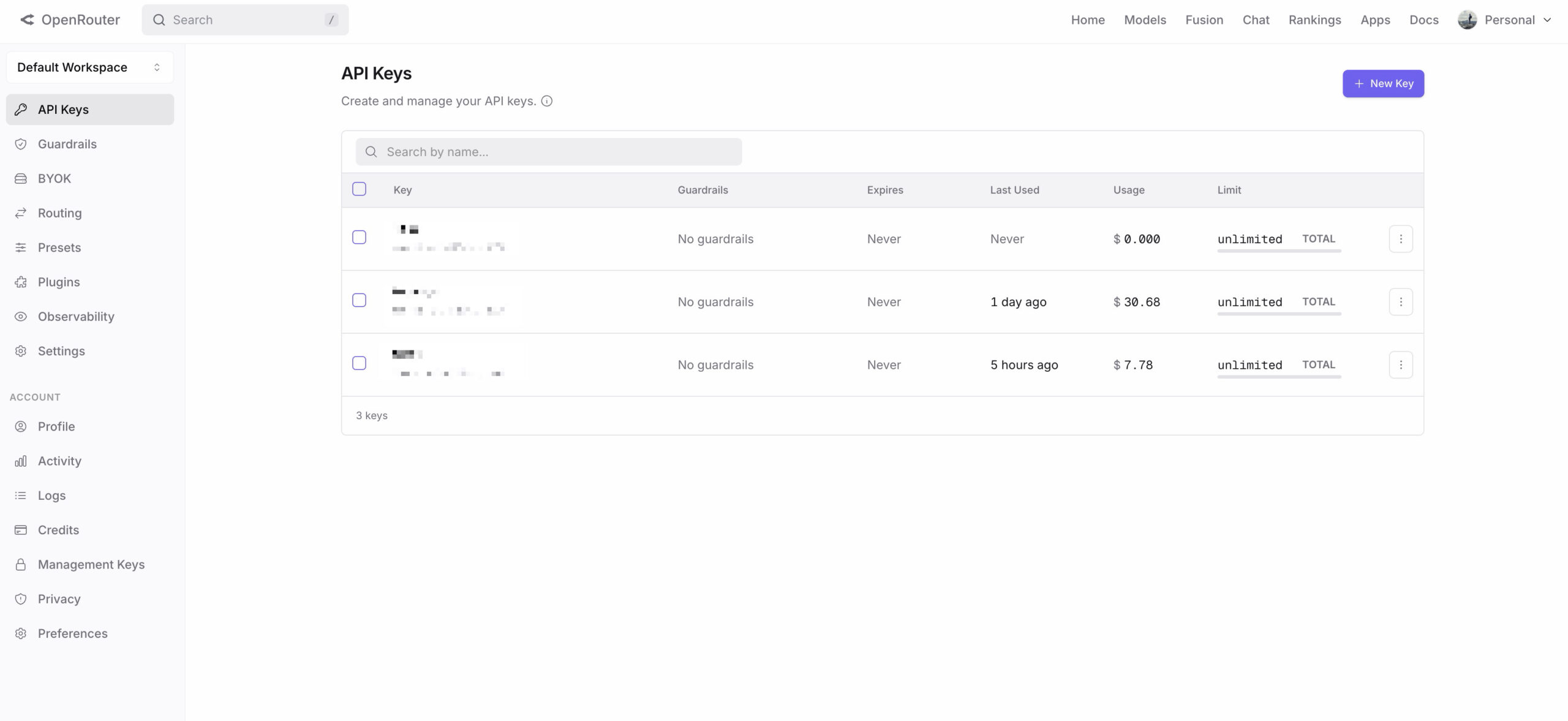
- Go to https://openrouter.ai/keys and sign in (or create a free OpenRouter account).
- Click Create Key, name it (for example “PurioChat”), and confirm.
- Copy the key right away. It starts with
sk-or-v1-and is shown only once, so save it somewhere safe before closing the dialog.
Step 2: Add a balance
OpenRouter needs a $5 minimum balance before it will make requests. In your account, open the Credits (billing) area and top up at least $5. The balance is shared across every model, so one top-up covers all of them.
Step 3: Paste the key into PurioChat
- In your WordPress admin, go to PurioChat → Settings → API Configuration.
- Select OpenRouter as your provider.
- Paste your key into the OpenRouter API Key field. It expects the
sk-or-v1-...format. - Click Test API Key. PurioChat confirms the key works and your balance is reachable.
- Save your settings.
After saving, PurioChat picks a default model for OpenRouter (openai/gpt-5.4-mini). Change it anytime from the Model dropdown on the same screen.
The Enable Reasoning toggle
Next to the model dropdown is an Enable reasoning checkbox. It controls whether OpenRouter-routed models can “think” before answering, and it is off by default.
- Off (default): Forces minimal reasoning for fast replies. Recommended for everyday chat.
- On: Lets each model use its own default thinking level. Better answers for complex questions, but noticeably slower.
Leave it off unless you want deeper, more deliberate answers.
A note on embeddings
With OpenRouter as your provider, PurioChat uses openai/text-embedding-3-small (1536 dimensions) as the default embedding model for training your content. Change it under PurioChat → Data Training → Database Management if you need a different option.