Before you start
One-time payments use the same payment provider you have already connected (Stripe, Paddle, Polar, or Dodo Payments). The provider is chosen globally on the plugin’s Settings tab, and every package inherits it – there is nothing per-package to choose here. If you have not connected a provider yet, set that up first using the relevant setup guide: Stripe, Paddle, Polar, or Dodo.
You will also need a non-recurring price for the package in your provider’s dashboard – for example, a standard one-time Stripe Price rather than a recurring one. More on that below.
Enabling one-time payment on a package
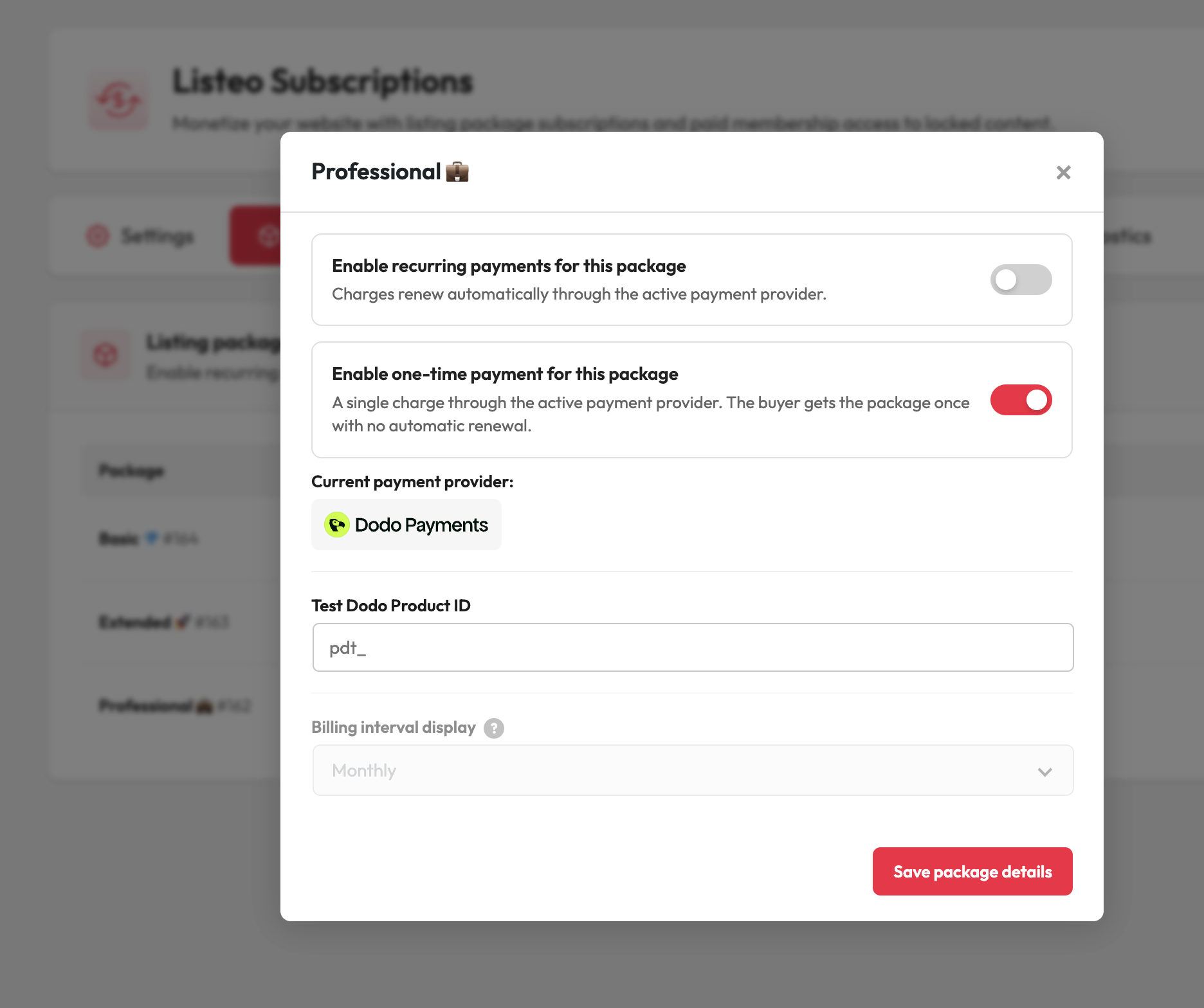
Open the package product and find the Listeo Subscriptions settings panel. You will see two toggles:
- Enable recurring payments for this package – charges renew automatically.
- Enable one-time payment for this package – a single charge, no automatic renewal.
Then:
- Turn on Enable one-time payment for this package. If recurring was on, it switches off automatically – the two cannot both be active.
- Notice that the Billing interval display field becomes inactive. That is expected: a one-time purchase never renews, so there is no interval to show.
- Enter the provider price/product ID for this package, exactly as you would for a recurring package – but point it at your one-time (non-recurring) price. Both your test and live IDs use the same fields.
- Save the product.
On save, the plugin checks the price against the provider and confirms the amount and currency match your WooCommerce product price, just as it does for recurring packages.
Important: the price must be non-recurring
The fix is to create (or select) a non-recurring price in your provider dashboard and paste that ID instead. The currency and amount still have to match the WooCommerce product price – if they don’t, you’ll get a clear mismatch warning telling you both figures.
Webhooks
One-time payments rely on the same webhook endpoint you already registered for the provider, but they use payment events rather than subscription events. If you set your webhook up for subscriptions only, adjust it for one-time payments in these cases:
- Stripe – one-time packages paid with delayed/asynchronous payment methods also need the
checkout.session.async_payment_succeededandcheckout.session.async_payment_failedevents. If you set Stripe up with the full recommended event list, you already have these. - Dodo Payments – in addition to the subscription events, send
payment.succeededso one-time purchases are confirmed.
What the customer sees
A one-time purchase does not appear on the My Subscriptions page – there is nothing recurring to manage there. The customer sees it in the Listeo dashboard under Your Plans & Packages, like any other package they own.
From the admin side, the purchase shows in the Subscriptions list marked as One-time, so you can tell single purchases apart from renewing subscriptions at a glance.