The booking popup is the customer-facing modal used by every booking type — Services, Rentals and Events. Booking Plus replaces Listeo Core’s inline booking widget with this multi-step popup whenever the listing is configured to use Booking Plus features (resources or ticket types).
The steps
| # | Step | When it appears |
|---|---|---|
| 1 | Resource | When the listing has resources attached. Picks which resource to book. |
| 2 | Date/time | Always. Picks the date(s) and (for time-aware bookings) the time slot. |
| 2 / 3 | Tickets | Event listings. Pick ticket types and quantities. |
| Last | Confirm | Always. Reviews the booking, collects guest info, optional attendee details. |
| Last+1 | Success | After a successful booking. Shows confirmation + next steps. |
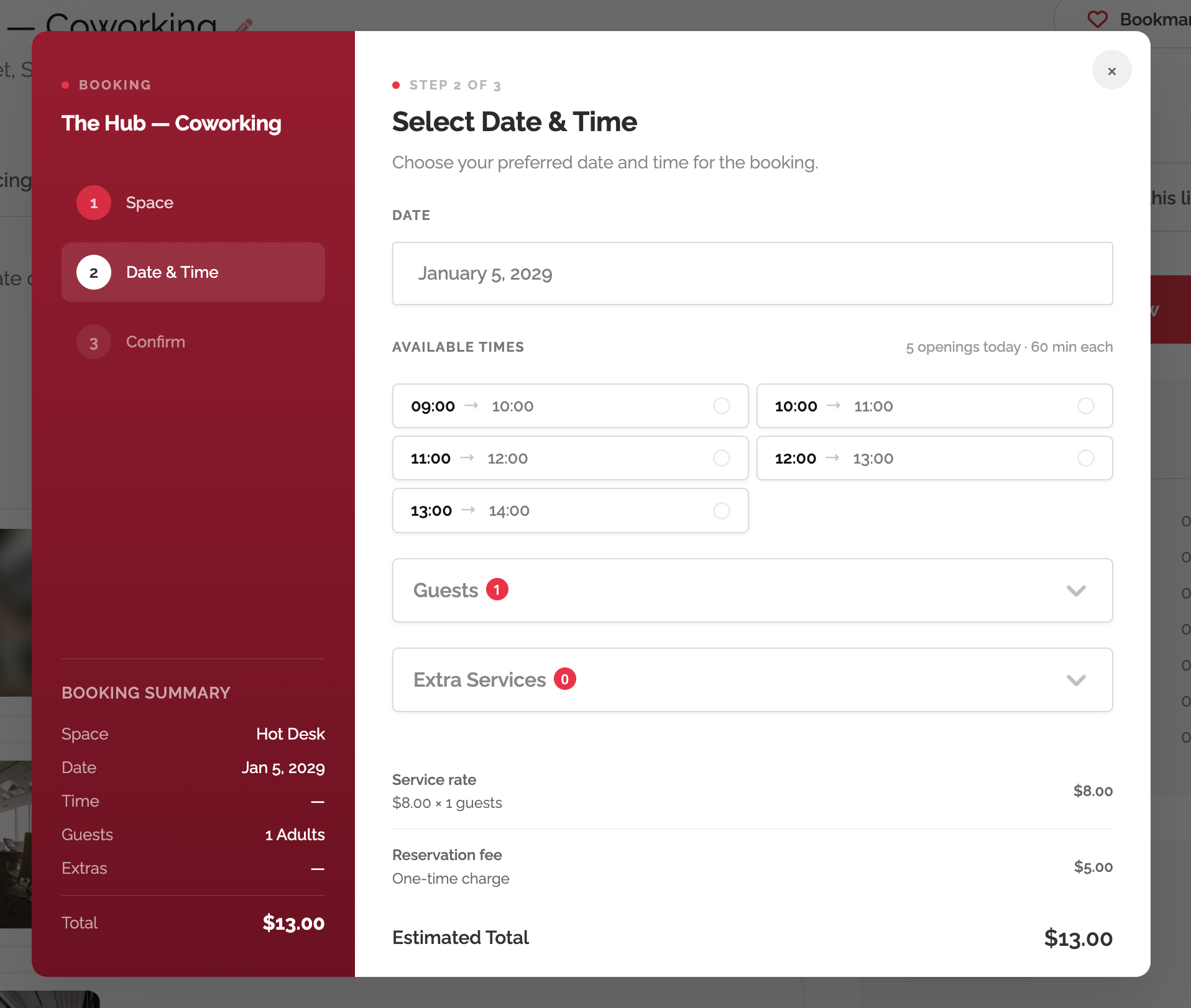
Customising appearance
Three colors in Listeo → Settings → Booking → Booking Popup Appearance control the look:
- Popup sidebar — color — main sidebar background. Defaults to
#2d2d32(close to black). - Popup sidebar — gradient end (optional) — set this for a gradient sidebar; leave blank for solid.
- Popup accent color — used for the dot before each section label, the active step number, the “Next” button, and selection highlights. Defaults to
#3b82f6(blue).
Values are injected as CSS custom properties before the popup paints — no flicker of the old color when the page loads.
Mobile behaviour
The popup goes full-screen on mobile and the multi-step navigation collapses to a top progress bar. Sidebar content moves to a collapsible header so the form always has the full screen width.
Overriding the templates in a child theme
Every step is a separate template file you can override (see Customizing Templates):
templates/booking/modal.php— the popup shell.templates/booking/modal-sidebar.php— the left sidebar.templates/booking/modal-step-datetime.phptemplates/booking/modal-step-resource.phptemplates/booking/modal-step-confirm.phptemplates/booking/modal-step-success.php