Listeo User Group on Facebook
What Lisa Can Do
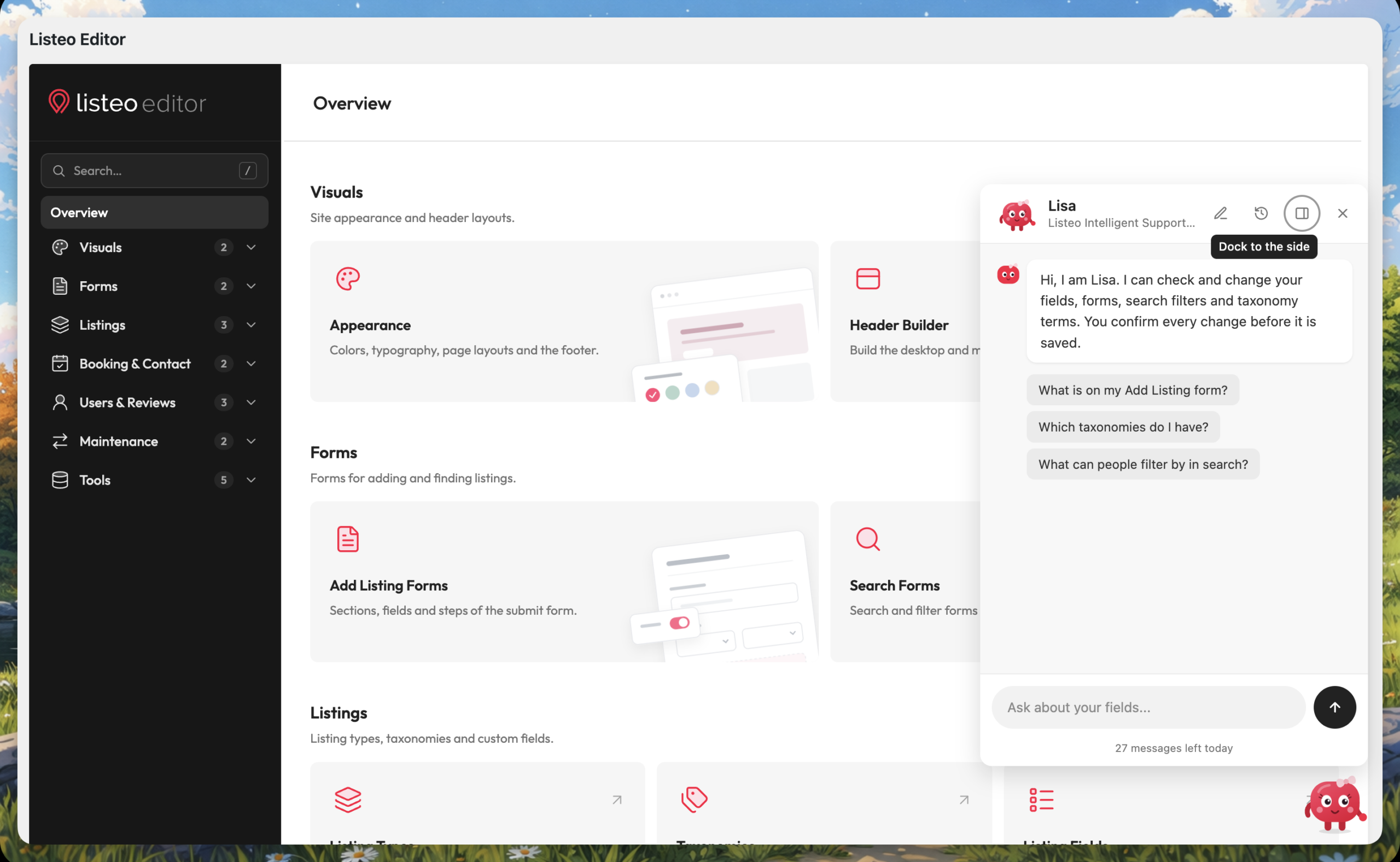
Lisa needs Listeo Forms & Fields Editor 2.3.3 or newer. She reads your Listeo Editor setup and prepares changes for you:
-
- Listing types. Create a new listing type with its booking type (no booking, single day, date range or tickets). It gets its own category taxonomy.
- Listing fields. Add, edit, move and remove fields, choose whether a field shows on listing cards, and hide a field from the details section of the listing page or show it there again.
- Add Listing form. Place fields and taxonomies on the Add Listing form, in an existing section or in a new section of their own.
- Visibility rules. Show a field only when another field has a certain value, for example “Balcony size” only when “Has balcony” is ticked.
- Taxonomies and terms. Create custom taxonomies, add, rename and delete terms, and link two taxonomies like Make > Model, including which model belongs to which make.
- Search filters. Add or remove a filter for a listing field or a taxonomy on your search forms, and switch a taxonomy between a select and a chained select.
- Answers about your setup. Ask “Why does my field not show on the listing page?” or “What can people filter by in search?”. For these she only reads your settings.
Lisa answers in the language you write in.
Some things she cannot change. For those, she tells you which Listeo Editor screen to use:
- field icons and listing type icons and settings,
- rules that depend on a category or another taxonomy (set them in the field’s “Where this field applies” option),
- taxonomy display types other than select and chained select,
- changing or deleting a taxonomy,
- the layout of a form.
Lisa does not read your listings, their content or any user data.
Requirements
- An administrator account. Only users who can manage options see Lisa.
- An active Listeo license with active support. The domain of the site must be activated on the license. Staging and cloned sites can use Lisa only if their domain is activated too. When support ends, Lisa stops answering, and the rest of Listeo Editor keeps working as usual.
- A public site on https. Local sites, IP addresses and addresses with a port number cannot connect.
- Pretty permalinks and the standard REST API. In Settings → Permalinks, choose any option other than Plain. The REST API must be reachable at
/wp-json/. - Outgoing connections. Your server must be able to connect to the Lisa server.
Step 1: Turn Lisa On
- Go to WP Admin → Listeo Editor → Overview.
- In the Assistant section, turn on Show Lisa.
- Choose how she appears: Mascot (Lisa stands in the corner of the screen and waves now and then) or Chat button (a plain round button with no character).
- Click Save.
Lisa shows on the Listeo Editor screens and on the category and term screens of your listing taxonomies. Click her (or the chat button) to open the chat.
On screens 1500 px wide or wider, the chat is docked on the right side of the screen. Use the dock icon in its header to switch between the docked panel and a floating window.
Step 2: Read the Notice and Click Start
The first time each administrator opens the chat, Lisa shows what she sends and to whom. Nothing is sent before you click Start.
When you click Start, these go to the Purethemes server:
- your license key, to verify it,
- this site’s address and your server’s IP address,
- the messages you write in the chat,
- the rating you give an answer (helpful or not helpful),
- the field, form and taxonomy configuration Lisa reads to answer you.
How long it is kept:
- Your messages and Lisa’s answers are kept for 30 days. Her answers can mention the names of your fields, forms and terms.
- The configuration she reads is deleted within 24 hours.
- The server IP address is kept until 30 days after Lisa was last used on the site.
- The site address and a shortened form of your license key are kept while the site is connected.
- If Lisa is refused because of your license or support, this may be noted for 30 days so you can be contacted about renewal.
To answer you, your messages and that configuration are processed by an AI model from Anthropic, or from Google through OpenRouter, which may keep them for a limited time under their own terms (for example for abuse monitoring).
If you do not want to use Lisa, click No thanks, hide Lisa on this site. She then stays hidden for every administrator until someone turns her back on in Listeo Editor → Overview.
Step 3: Ask
Write what you need in your own words. A few examples:
- “I’m building a directory of film locations that production crews rent for a shooting day. Set it up for me.”
- “Add a Fuel type taxonomy to the car listings and a filter for it in the sidebar search.”
- “Show Truck spaces only when Truck parking is checked.”
- “Why doesn’t the Area field show on my listing pages?”
For a bigger build, such as a new kind of directory, Lisa first proposes the listing type and lists the fields, choices and filters she plans to add, so you can adjust the plan. Once the type is confirmed, she continues with the categories, fields, Add Listing form and search filters, one step at a time.
The chat shows how many messages you have left today, under the message box.
Step 4: Review and Apply
Lisa never changes anything by herself. Each change she prepares is shown as a preview card that says exactly what will be saved and where.
- One change: click Apply change or Cancel.
- Several changes are shown as one checklist. Untick what you do not want and click Apply selected, or click Cancel all.
- Removals (a field, a term or a search filter) are marked “Removes” and are unticked by default, so nothing is deleted by accident.
- Some cards show lines to check first, for example other fields whose rules use the field you remove, or Elementor pages that use it.
After you apply, click Show it to open the screen with the change, and Lisa suggests the next step.
Undo a Change
Every applied change can be undone for 7 days:
- right on its card, with Undo (or Undo all for a checklist), or
- in Recent changes (the clock icon in the chat header), which lists the changes Lisa made on the site.
Only the administrator who applied a change can undo it, and only while the same settings were not changed again in the meantime. When you undo a bigger build, start with the newest changes. For example, a listing type can be undone only after its fields, categories and form are gone.
Disconnect Lisa
Open Recent changes (the clock icon) and click Disconnect Lisa at the end of the list, then click again to confirm. This removes the site address, your messages and Lisa’s answers from the Lisa server, and Lisa asks for consent again the next time she is used. Message and cost counters stay, without the address. Your forms and the changes she made stay as they are.
Turning off Show Lisa in Listeo Editor → Overview also disconnects the site.
Privacy and Data
Lisa works only with the setup of your directory. This is what she needs, what is stored and where.
What Lisa never sends
- your listings and their content,
- your users, customers and visitors, or any of their data,
- the name, e-mail or password of the administrator who uses the chat.
What is sent to the Purethemes server
- your license key, to verify the license and support,
- the site address and the server’s IP address,
- the messages you write in the chat and the ratings you give answers,
- the configuration Lisa reads to answer you: listing types, field, form and search form settings, and taxonomy terms.
All requests go over HTTPS, and each site has its own secret key to sign them.
What is stored on the Purethemes server, and for how long
- Your messages, Lisa’s answers and your ratings: 30 days. Answers can mention the names of your fields, forms and terms.
- The configuration Lisa read and the working conversation: deleted within 24 hours.
- The server’s IP address: until 30 days after Lisa was last used on the site.
- The site address and a shortened form of the license key: while the site is connected. The full license key is not stored in readable form.
- Message and cost counters per day, used for the limits. After a disconnect they stay without the site address.
- A note that Lisa was refused because of the license or support: 30 days, so we can contact you about renewal.
Who processes it
To answer you, your messages and the configuration Lisa read are processed by an AI model from Anthropic, or from Google through OpenRouter. They may keep the data for a limited time under their own terms, for example for abuse monitoring. Requests through OpenRouter go only to providers that do not collect the data for their own use.
What is stored on your site
- the connection key of the site, and each administrator’s consent,
- the state of the open conversation, for a short time, and the messages shown in the administrator’s browser tab,
- proposed changes (for 1 day), applied changes kept for undo (for 7 days) and the list of the last 100 changes under Recent changes.
How to remove it
- Disconnect Lisa (or turn off Show Lisa) removes the site address, your messages and Lisa’s answers from the Purethemes server, and the connection key and consents from your site.
- Deleting Listeo Forms & Fields Editor from the Plugins screen disconnects the site and removes everything Lisa stored on it. Your forms, fields and taxonomies stay.
Limits
Lisa has a daily and a monthly message limit per license. Automatic follow-ups after you apply a change count as messages too. When the monthly limit is reached, the chat says when Lisa will be back.
A conversation also has a maximum length. When the chat says “This conversation has reached its length limit”, click New conversation (the pencil icon). Your forms and applied changes stay as they are. Lisa starts a fresh conversation and reads your current setup again, so repeat in a sentence what you were working on.
Troubleshooting
-
This site could not be verified
-
Lisa says your support has ended
-
Our server could not reach the REST API of this site
-
Lisa needs pretty permalinks
-
Lisa needs a site on https / works only on a public domain
-
The site check failed because this site redirected it
-
Could not reach the Lisa server
-
Lisa asks me to click Save once on a screen
-
Lisa says a field is already in place, but I deleted it
-
Does Lisa change my site on her own?
-
Can my listing owners or editors use Lisa?